Lancer une boutique en ligne sans gérer de stock est l’un des moyens les plus populaires pour se lancer dans le e-commerce aujourd’hui. Au lieu d’acheter du stock à l’avance, vous listez simplement des produits sur votre boutique, et lorsqu’un client passe une commande, un fournisseur l’expédie directement au client.
Ce modèle d’affaires est appelé « dropshipping », et combiné à WooCommerce, il devient un moyen flexible et économique de créer une boutique en ligne avec WordPress. Contrairement aux plateformes tout-en-un, WooCommerce vous donne un contrôle total sur votre site web, votre image de marque et vos données clients, ce qui le rend particulièrement intéressant pour les propriétaires de boutique à long terme.
Dans ce guide, vous apprendrez exactement comment fonctionne le dropshipping avec WooCommerce, comment le mettre en place étape par étape, quelles extensions et fournisseurs utiliser, et comment éviter les erreurs courantes afin de construire une boutique rentable en 2026.
Points Clés
- Pleine propriété et contrôle – Avec WooCommerce, vous possédez vos données, ne payez pas de frais de plateforme et pouvez personnaliser chaque aspect de votre boutique.
- Choisissez la bonne extension – Votre succès dépend d’un outil adapté à vos besoins (EPROLO, Spocket, AliDropship, etc.).
- WooCommerce vs Shopify – WooCommerce gagne sur le référencement, la scalabilité à long terme et le coût ; Shopify est plus simple pour les débutants absolus.
- Processus d’installation en sept étapes – Hébergement, domaine, installation de WooCommerce, ajout d’une extension de dropshipping, import de produits et lancement.
- Évitez les pièges courants – Délais de livraison longs, mauvaise qualité, descriptions dupliquées et conflits d’extensions peuvent être résolus par des tests, une réécriture des contenus et des fournisseurs fiables.
- Rentable en 2026 – Des marges de 20 à 100 % sont réalisables avec un bon choix de niche, une stratégie de prix et une sélection rigoureuse des fournisseurs.
Table des Matières
Qu’est-ce que le dropshipping avec WooCommerce ?
Le dropshipping avec WooCommerce est un modèle d’affaires où vous gérez une boutique construite sur WooCommerce, mais sans stock. Lorsqu’un client passe une commande, les détails de la commande sont automatiquement envoyés à un fournisseur (souvent via une extension de dropshipping). Le fournisseur prépare et expédie le produit directement à votre client. Vous payez le prix de gros et gardez la différence comme bénéfice.
Voici comment fonctionne le dropshipping avec WooCommerce : d’abord, vous configurez votre boutique WooCommerce et installez une extension de dropshipping. Ensuite, vous parcourez les catalogues des fournisseurs (comme AliExpress ou EPROLO) et importez des produits en un clic. Troisièmement, un client passe une commande sur votre site. Quatrièmement, l’extension envoie automatiquement cette commande à votre fournisseur, qui expédie directement au client. Les numéros de suivi sont synchronisés avec votre boutique. Vous vous concentrez sur le marketing et les ventes pendant que les fournisseurs exécutent les commandes.
Avantages de l’utilisation de WooCommerce
Pourquoi choisir WooCommerce pour cette activité ? Le plus grand avantage est le contrôle. Vous possédez votre base de données, vos emails clients et votre contenu. Vous pouvez changer d’hébergeur, ajouter des fonctionnalités personnalisées et ne vous inquiétez jamais qu’une plateforme ne bannisse votre boutique. De plus, WooCommerce se trouve dans WordPress, ce qui vous offre un avantage considérable en matière de référencement naturel. Pour quiconque prend ce business au sérieux, la propriété des données est inestimable.
- Propriété complète des données – pas de dépendance à une plateforme.
- Coûts mensuels plus faibles (hébergement + domaine + extensions optionnelles).
- Moteur de blog intégré pour le marketing de contenu.
- Des milliers de thèmes et extensions gratuites.
Avantages et inconvénients
Aucune solution n’est parfaite. Cette approche vous donne de la flexibilité mais demande plus de responsabilités que les plateformes tout-en-un comme Shopify.
Avantages :
- Personnalisation illimitée – vous pouvez modifier n’importe quel code.
- Aucune commission de transaction de la part de WooCommerce lui-même.
- Idéal pour les boutiques orientées contenu et SEO.
- Options de paiement unique pour de nombreuses extensions.
Inconvénients :
- Vous gérez les mises à jour, les sauvegardes et la sécurité.
- Courbe d’apprentissage légèrement plus raide.
- La qualité de l’hébergement impacte directement la vitesse.
- Certaines extensions de dropshipping facturent des frais mensuels.
WooCommerce vs Shopify pour le dropshipping
Si vous avez recherché comment créer une boutique de dropshipping, vous avez probablement vu Shopify partout. Shopify et WooCommerce peuvent tous deux fonctionner pour le dropshipping, mais ils s’adressent à des types de commerçants très différents selon leurs objectifs, leur budget et leur aisance technique.
Facilité d’utilisation
Shopify est le moyen le plus rapide de lancer une boutique. Vous pouvez vous inscrire, choisir un thème, installer des applications et commencer à vendre en quelques heures sans configuration technique.
WooCommerce nécessite plus de configuration initiale : hébergement, installation de WordPress et configuration des extensions. Cependant, de nombreux hébergeurs gérés modernes proposent désormais une installation WooCommerce en un clic, ce qui réduit considérablement le temps de mise en place.
Pour les débutants qui privilégient la rapidité, Shopify est plus simple.
Pour ceux qui acceptent d’apprendre un peu plus au début, WooCommerce offre plus de contrôle à long terme.
Personnalisation & Flexibilité
WooCommerce offre une bien plus grande personnalisation car il est open source. Vous pouvez modifier les templates, ajouter du code personnalisé et intégrer presque n’importe quel système ou API sans restrictions de plateforme.
Shopify utilise le système de templating Liquid, qui est flexible mais toujours contrôlé. Les flux de travail avancés personnalisés (comme une logique de paiement unique ou des modifications back-end) sont plus limités, sauf à utiliser Shopify Plus.
En bref : WooCommerce est meilleur pour le contrôle total ; Shopify est meilleur pour la simplicité structurée.
Capacités SEO
WooCommerce (basé sur WordPress) est largement considéré comme plus puissant pour le SEO car il offre un contrôle total sur :
- La structure des URLs
- Les balises meta
- Le balisage schema
- Le maillage interne
- L’architecture du contenu
Avec des extensions comme Yoast SEO ou Rank Math, il devient un moteur SEO puissant pour les boutiques axées sur le contenu.
Shopify dispose de fonctionnalités SEO intégrées solides, mais la personnalisation technique est plus limitée.
Pour les boutiques de dropshipping à forte teneur en contenu qui dépendent des blogs et du trafic organique, WooCommerce a l’avantage.
Comparaison des prix
Le plan Basic de Shopify commence généralement à 29 $/mois, avec des frais de transaction potentiels selon la configuration de paiement.
WooCommerce lui-même est gratuit, mais vous paierez pour :
- Hébergement (10–30 $/mois)
- Nom de domaine
- Extensions premium optionnelles
À court terme, les prix sont similaires. Au fil du temps, WooCommerce est généralement plus rentable car les coûts évoluent plus flexiblement sans frais de plateforme.
Applications & Intégrations
L’App Store de Shopify est organisé et facile à naviguer, ce qui rend l’installation d’outils fiables simple.
WooCommerce propose un écosystème d’extensions beaucoup plus large, mais la qualité varie davantage car il est open source.
Les deux plateformes prennent en charge les principaux outils de dropshipping comme EPROLO et Printful, offrant une grande flexibilité pour les intégrations avec les fournisseurs.
Comment démarrer le dropshipping avec WooCommerce
Suivez ces sept étapes pour passer de zéro à une boutique en ligne opérationnelle.
Étape 1 – Obtenez un hébergement et un domaine
Commencez par choisir un hébergement fiable optimisé pour WooCommerce, avec de bonnes performances, un support SSL et une installation facile de WordPress. Les options populaires incluent SiteGround, Cloudways et Kinsta, tandis que les noms de domaine peuvent être achetés chez Namecheap ou Cloudflare Registrar.
Choisissez un domaine qui correspond à votre niche et gardez à l’esprit les performances : un hébergement bas de gamme entraîne souvent une boutique lente et de faibles conversions.
Étape 2 – Installez WordPress et WooCommerce
La plupart des hébergeurs proposent l’installation de WordPress en un clic. Une fois installé, ajoutez l’extension WooCommerce et complétez l’assistant de configuration pour les réglages de base (monnaie, paiements, livraison).
Cela transforme votre site en une boutique e-commerce pleinement fonctionnelle en quelques minutes, avec la possibilité de personnaliser davantage par la suite.
Étape 3 – Choisissez une niche
Au lieu de vendre des produits aléatoires, concentrez-vous sur une niche de dropshipping spécifique où vous pouvez bâtir de la pertinence et de la confiance. Les options populaires pour 2026 incluent les produits pour animaux, les outils pour le télétravail, les articles de cuisine durables et l’équipement de plein air.
Recherchez des produits qui résolvent un problème clair, avec une expédition légère et évitez les catégories à haut risque de retour comme l’électronique complexe.
Étape 4 – Installez une extension de dropshipping
Pour connecter votre boutique à des fournisseurs, installez une extension de dropshipping. EPROLO fonctionne bien pour les produits personnalisés et l’approvisionnement AliExpress, Spocket est idéal pour une livraison rapide aux États-Unis et dans l’UE, et CJdropshipping offre un vaste catalogue avec impression à la demande.
Après l’installation, connectez votre compte fournisseur pour synchroniser les produits directement dans votre boutique.
Étape 5 – Importez des produits
Une fois connecté, parcourez les catalogues des fournisseurs et importez des produits dans votre boutique. Concentrez-vous sur les articles ayant des délais de livraison raisonnables, de bonnes marges et des signaux de demande forte.
Avant de publier, améliorez les titres des produits, réécrivez les descriptions pour plus de clarté et fixez une stratégie de prix cohérente. Utilisez toujours un texte original plutôt que les descriptions du fournisseur pour améliorer le SEO et les taux de conversion.
Étape 6 – Configurez les paiements et la livraison
Activez Stripe et PayPal dans les réglages de WooCommerce pour couvrir la plupart des préférences de paiement des clients.
Ensuite, configurez la livraison en définissant des régions comme les États-Unis et en établissant des règles simples (livraison gratuite à partir d’un certain montant, ou tarif forfaitaire basé sur les coûts des fournisseurs). Assurez-vous que les délais de livraison sont clairement indiqués sur les fiches produits pour éviter les litiges.
Étape 7 – Lancez votre boutique
Avant le lancement, passez une commande test pour vérifier que tout fonctionne correctement – du passage en caisse à l’exécution de la commande et au suivi.
Une fois confirmé, supprimez toute page « en construction », connectez Google Analytics et soumettez votre site à Google Search Console pour qu’il soit indexé et reçoive du trafic.
Tableau comparatif des extensions
| Extension | Principales fonctionnalités | Tarifs à partir de |
|---|---|---|
| EPROLO | Gratuit, entrepôts mondiaux, emballage personnalisé, support 24/7 | Gratuit |
| AliDropship | Paiement unique, import direct AliExpress, formules de prix, auto-exécution optionnelle | 39 $/mois |
| Dropified | Support multi-comptes, suivi avancé des bénéfices, commandes groupées, support AliExpress/Walmart/Shopify | 50 $/mois |
| Spocket | Livraison rapide UE/US, facturation personnalisée, commandes échantillons, stock en temps réel | 39,99 $/mois |
| Syncee | Marketplace de dropshipping organisée, import groupé, synchronisation automatique des stocks, surveillance 24/7 | 39,99 $/mois |
| Importify | Import depuis plus de 20 places de marché (AliExpress, Amazon, Wish), exécution des commandes en un clic | 14,95 $/mois |
| DropshipMe | Produits de haute qualité sélectionnés, images professionnelles, import facile, plan gratuit à vie | Version gratuite |
| Wholesale2B | Plus de 6000 fournisseurs US/UK, routage automatique des commandes, listing multi-canaux (eBay, Amazon, Shopify) | 49,99 $/mois |
| WooDropship | Léger, lien direct AliExpress, gestion manuelle des commandes, aucune commission récurrente | 89 $ (paiement unique) |
| CJdropshipping | Gratuit à vie, entrepôts mondiaux, marque personnalisée, exécution groupée des commandes | Gratuit |
10 meilleures extensions de dropshipping pour WooCommerce
EPROLO
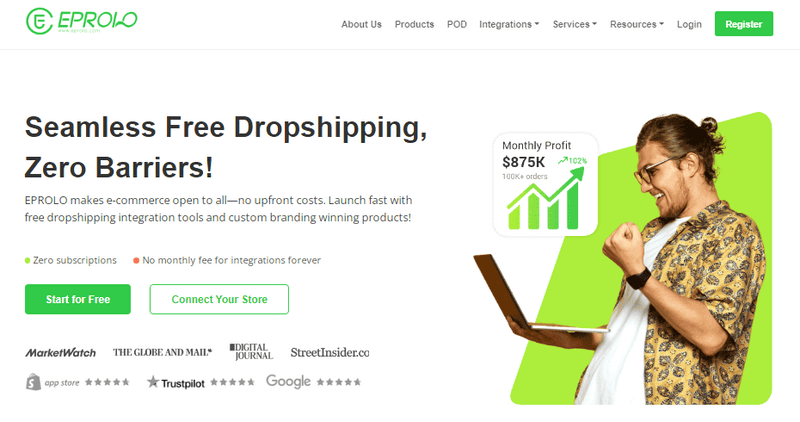
EPROLO est un fournisseur de dropshipping gratuit pour WooCommerce offrant des étiquettes privées, des entrepôts mondiaux et l’exécution automatisée des commandes. Vous pouvez vous approvisionner via son catalogue ou AliExpress.
Principales fonctionnalités :
- Synchronisation automatique des commandes de WooCommerce vers EPROLO.
- Personnalisation de marque (emballage, cartes de remerciement, logos).
- Entrepôts mondiaux (États-Unis, UE, Asie) pour une livraison plus rapide.
- Synchronisation du suivi en temps réel vers votre boutique.
- Inspection de qualité avant expédition.
Tarifs : Extension gratuite + coût des produits. Support de marque payant à partir de 19,90 $/an.
AliDropship
AliDropship est une extension dédiée à WooCommerce pour le dropshipping AliExpress. Elle inclut une extension Chrome pour l’import en un clic, des formules de prix automatiques et la synchronisation des stocks.
Principales fonctionnalités :
- Import de produits en un clic depuis AliExpress.
- Formules de prix automatisées (ex. coût × 2,5).
- Importateur d’avis intégré pour la preuve sociale.
- Module d’auto-exécution optionnel.
- Synchronisation des stocks toutes les quelques heures.
Tarifs : 39 $/mois. Une option à paiement unique de 89 $ existe aussi.
Dropified
Dropified est conçu pour scaler le dropshipping WooCommerce. Il prend en charge AliExpress, eBay, Walmart et Etsy avec un suivi avancé des bénéfices et les commandes groupées.
Principales fonctionnalités :
- Support multi-comptes et multi-marketplaces.
- Exécution automatisée des commandes avec synchronisation du suivi.
- Outils de regroupement de produits et de vente incitative.
- Mises à jour en temps réel des stocks et prix.
- Traitement groupé des commandes.
Tarifs : 50 $/mois. Essai gratuit de 14 jours disponible.
Spocket
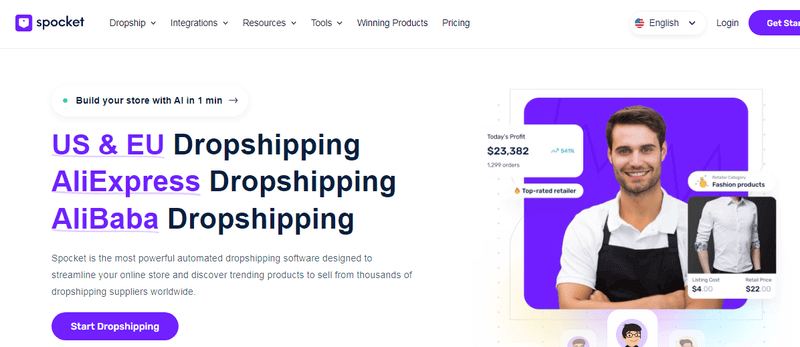
Spocket connecte votre boutique WooCommerce à des fournisseurs américains et européens avec une livraison en 2 à 5 jours. Il offre une facturation personnalisée et une synchronisation des stocks en temps réel.
Principales fonctionnalités :
- Fournisseurs américains et européens – livraison rapide (2-5 jours).
- Facturation et bordereaux d’expédition personnalisés.
- Synchronisation des stocks et des prix en temps réel.
- Commandes échantillons à prix réduit.
- Support client 24/7.
Tarifs : À partir de 39,99 $/mois. Plan gratuit disponible (produits limités).
Syncee
Syncee est une marketplace de dropshipping organisée pour WooCommerce avec des fournisseurs B2B vérifiés. Il automatise l’import de produits, les mises à jour de prix et la synchronisation des stocks.
Principales fonctionnalités :
- Plus de 250 fournisseurs vérifiés, plus de 6 millions de produits.
- Synchronisation automatique des produits, prix et stocks.
- Outils d’import et d’édition groupés.
- Règles de prix basées sur la marge.
- Pas d’engagement à long terme.
Tarifs : 39,99 $/mois. Plan gratuit pour jusqu’à 25 produits.
Importify
Importify vous permet d’importer des produits depuis plus de 20 places de marché (AliExpress, Amazon, Etsy, Walmart) vers WooCommerce en un clic, avec exécution automatisée des commandes.
Principales fonctionnalités :
- Supporte plus de 20 marketplaces.
- Import de produits en un clic via extension Chrome.
- Mises à jour automatiques des stocks et prix.
- Envoi des commandes manuel ou automatique.
- Outils d’édition d’images inclus.
Tarifs : 14,95 $/mois. Démo de 7 jours disponible.
DropshipMe
DropshipMe propose un catalogue organisé de produits AliExpress avec des descriptions réécrites professionnellement et des images haute résolution – parfait pour les boutiques WooCommerce optimisées pour le SEO.
Principales fonctionnalités :
- Produits sélectionnés à la main (qualité filtrée).
- Descriptions uniques et professionnelles.
- Images haute résolution et infographies.
- Import en un clic vers WooCommerce.
- Formules de prix automatisées.
Tarifs : Version gratuite (50 produits). Plans payants à partir de 29 $/mois.
Wholesale2B
Wholesale2B donne accès à plus de 100 fournisseurs américains et britanniques avec routage automatique des commandes et listing multi-canaux (eBay, Amazon, Shopify, WooCommerce).
Principales fonctionnalités :
- Plus de 100 fournisseurs américains et britanniques.
- Transfert automatique des commandes vers le bon fournisseur.
- Synchronisation des stocks en temps réel.
- Outil de majoration des prix (pourcentage ou fixe).
- Support de listing multi-canaux.
Tarifs : 49,99 $/mois. Possède aussi une option de démarrage à paiement unique.
WooDropship
WooDropship est un outil léger de routage de commandes pour les commerçants WooCommerce ayant des accords privés avec des fournisseurs. Il génère des exports CSV et des bordereaux d’expédition – aucune dépendance à une marketplace.
Principales fonctionnalités :
- Routage manuel ou semi-automatique des commandes.
- Export CSV par fournisseur.
- Modèles de bordereaux d’expédition personnalisables.
- Support multi-fournisseurs par produit.
- Aucune dépendance à une marketplace externe.
Tarifs : 89 $ (paiement unique).
CJdropshipping
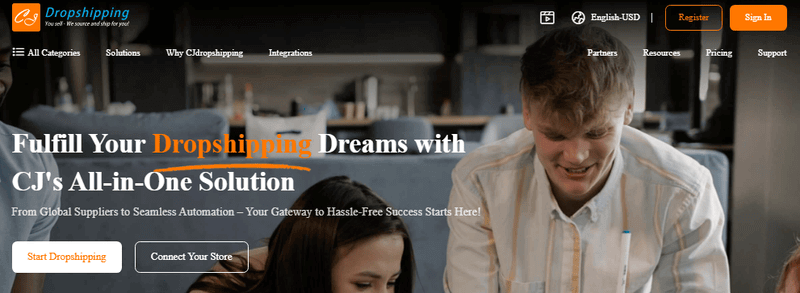
CJdropshipping est une extension gratuite pour WooCommerce connectée aux entrepôts mondiaux de CJ (États-Unis, UE, Chine, Asie du Sud-Est). Elle offre l’exécution automatisée, l’impression à la demande et la personnalisation de marque.
Principales fonctionnalités pour WooCommerce :
- Synchronisation automatique des commandes vers les entrepôts CJ.
- Synchronisation des stocks et des prix en temps réel.
- Personnalisation impression à la demande.
- Personnalisation des photos et emballages.
- Entrepôts mondiaux pour une livraison plus rapide.
Tarifs : Extension gratuite + coût des produits. Adhésion payante optionnelle pour des tarifs d’expédition réduits.
Trouver des fournisseurs fiables pour le dropshipping WooCommerce
Votre fournisseur définit l’expérience client. Un mauvais fournisseur signifie remboursements, litiges et clients mécontents. Quand vous gérez ce type de boutique, la fiabilité du fournisseur est non négociable.
Qu’est-ce qui fait un bon fournisseur ?
Un fournisseur fiable répond sous 24 heures, expédie en 2 à 7 jours (ou indique clairement des délais plus longs) et propose une inspection qualité. Il doit également fournir une synchronisation API des stocks pour ne jamais vendre de produits en rupture.
- Communication rapide (moins de 24 h).
- Commandes échantillons disponibles.
- Envoi cohérent des numéros de suivi.
- Politique de retour claire pour les défauts.
Signaux d’alerte à éviter
- Pas d’adresse physique ni de numéro de téléphone.
- Les commandes prennent systématiquement plus de 30 jours.
- Les chiffres de stock ne changent jamais (stock fictif).
- Refus des commandes échantillons ou demande de gros paiements anticipés.
- De nombreux avis négatifs sur AliExpress ou Trustpilot.
Problèmes courants du dropshipping avec WooCommerce (et comment les éviter)
Tout dropshipper fait face à des défis, surtout lorsqu’il gère une boutique WooCommerce. Voici les problèmes les plus fréquents et des solutions pratiques pour garder votre boutique rentable et vos clients satisfaits.
Délais de livraison longs
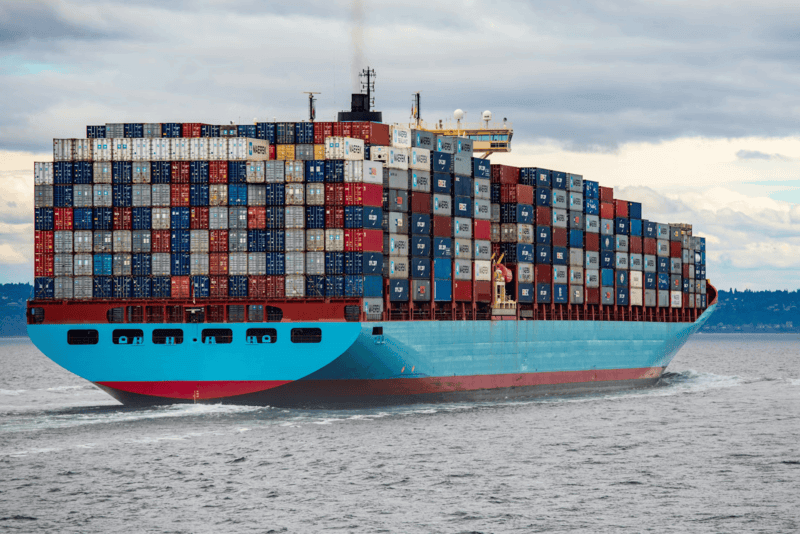
Les longs délais de livraison sont la principale plainte dans le dropshipping. Les clients s’attendent à une livraison rapide, et les retards entraînent souvent des demandes de remboursement ou des litiges. Soyez transparent : ajoutez une estimation de livraison claire sur chaque fiche produit (ex. « Livraison sous 10 à 15 jours ouvrables »). Proposez une option d’expédition express au moment du paiement pour ceux qui acceptent de payer plus. Mieux encore, approvisionnez-vous auprès de fournisseurs disposant d’entrepôts mondiaux comme EPROLO pour une livraison en 2 à 5 jours.
Faible qualité des produits
Rien ne tue plus vite une activité de dropshipping qu’une mauvaise qualité produit. Les clients laisseront des avis négatifs et déposeront des litiges, nuisant à la réputation de votre boutique. Commandez toujours des échantillons avant de lister un nouveau produit – c’est un petit investissement qui évite bien des maux de tête. Vérifiez les avis des fournisseurs sur des places de marché comme AliExpress et fiez-vous à des fournisseurs fiables tels qu’EPROLO (qui propose une inspection qualité) ou Spocket (fournisseurs pré-vérifiés). Avec un contrôle qualité strict, vous réduirez les taux de retour et instaurerez la confiance.
Problèmes de synchronisation des stocks
Vendre des produits en rupture entraîne des commandes annulées et des clients mécontents. De nombreuses extensions de dropshipping pour WooCommerce offrent une synchronisation des stocks en temps réel – utilisez-les. Spocket, Syncee et Dropified mettent à jour automatiquement les niveaux de stock des fournisseurs. De plus, planifiez une synchronisation quotidienne en secours. Si un produit devient indisponible, cachez-le de votre boutique ou marquez-le comme « sur commande » avec un avertissement clair.
Conflits d’extensions
Les extensions de dropshipping pour WooCommerce ajoutent souvent des types de contenu personnalisés, des tâches planifiées et des appels API. Des conflits avec les extensions de cache, de SEO ou de constructeur de page peuvent casser votre boutique. Testez toujours les mises à jour sur un site de préproduction (la plupart des hébergeurs proposent la préproduction en un clic). Gardez le nombre d’extensions actives en dessous de 20 – moins de pièces mobiles signifie moins de conflits. Choisissez également des extensions bien codées par des développeurs réputés, listés ci-dessus, car ils testent régulièrement la compatibilité avec la dernière version de WooCommerce.
Taux de remboursement élevés
Le plus grand coût caché du dropshipping, ce sont les remboursements. Même si le produit est de bonne qualité, les longs délais de livraison peuvent provoquer des regrets d’achat. Sur-communiquez : envoyez des emails automatiques de mise à jour des commandes. Ajoutez des photos et vidéos de haute qualité pour définir des attentes précises. Pour les articles non retournables (ex. produits personnalisés), proposez un remboursement partiel ou un avoir au lieu d’un remboursement total – de nombreux clients l’accepteront.
Descriptions de produits dupliquées
Des centaines de dropshippers copient-colent les mêmes descriptions AliExpress, ce qui crée du contenu dupliqué. Google pénalise cela, faisant chuter vos pages produits dans les résultats de recherche. Réécrivez chaque description avec votre propre voix – mettez l’accent sur les avantages, pas seulement les caractéristiques. Cela aide aussi le SEO de votre boutique. Si vous manquez de temps, envisagez DropshipMe, qui fournit des descriptions réécrites professionnellement, ou utilisez des outils d’IA comme ChatGPT pour reformuler le texte du fournisseur.
Conclusion
Créer ce type de boutique en 2026 est une décision judicieuse si vous valorisez le contrôle, les faibles coûts et la puissance du SEO. Vous démarrez avec un investissement minimal, évoluez sans frais de plateforme et possédez chaque relation client. Les clés du succès sont le choix de la bonne extension, la vérification minutieuse des fournisseurs, la réécriture des descriptions de produits et la résolution proactive des problèmes d’expédition. Aucune extension ne remplace le travail acharné. Testez vous-même les produits, communiquez honnêtement sur les retards et construisez progressivement une marque digne de confiance.
Foire aux questions (FAQ)
1. Qu’est-ce que le dropshipping avec WooCommerce ?
Le dropshipping avec WooCommerce est un modèle d’affaires où vous gérez une boutique en ligne sans détenir de stock.
Lorsqu’un client passe une commande, le produit est acheté auprès d’un fournisseur qui l’expédie directement au client.
Cette configuration vous permet de vous concentrer sur le marketing, la sélection des produits et l’optimisation de la boutique plutôt que sur la logistique ou l’entreposage.
2. Peut-on faire du dropshipping avec WooCommerce ?
Oui, WooCommerce prend entièrement en charge le dropshipping grâce à des extensions et intégrations telles qu’EPROLO, AliDropship, Spocket et CJdropshipping.
Ces outils connectent directement votre boutique aux fournisseurs, automatisent le transfert des commandes et synchronisent les numéros de suivi. Cela permet de gérer une entreprise e-commerce entièrement automatisée avec un travail manuel minimal.
3. Quelle est la meilleure extension de dropshipping pour WooCommerce ?
Il n’y a pas d’extension « meilleure » unique, car cela dépend de vos objectifs commerciaux :
- EPROLO – meilleure option tout-en-un avec personnalisation de marque et automatisation
- Spocket – meilleure pour une livraison rapide aux États-Unis et dans l’UE
- AliDropship – meilleure solution à paiement unique
- Dropified – meilleure pour scaler et s’approvisionner sur plusieurs plateformes
Si vous débutez, EPROLO ou Spocket sont généralement les choix les plus adaptés aux débutants.
4. Combien coûte le dropshipping avec WooCommerce ?
Les coûts de démarrage sont relativement faibles par rapport à d’autres plateformes e-commerce.
En moyenne, prévoyez :
- Hébergement : 10–30 $/mois
- Domaine : environ 10–15 $/an
- Extension : 0–50 $/mois selon l’outil
- Frais de transaction : environ 2,9 % + 0,30 $ par commande
Cela fait de WooCommerce l’un des moyens les plus rentables de créer une boutique en ligne.
5. Le dropshipping avec WooCommerce est-il rentable en 2026 ?
Oui, il peut être rentable si vous choisissez la bonne niche, les bons fournisseurs et une stratégie marketing adaptée.
Les marges bénéficiaires typiques varient de 20 % à 100 %, selon le type de produit et le positionnement. Cependant, le succès dépend moins de la plateforme que de l’exécution – en particulier la sélection des produits, la fiabilité des fournisseurs et l’optimisation des conversions.
Vous aimerez aussi
Écrit par Aria
Aria est une rédactrice spécialisée dans le e-commerce et une stratège de contenu, avec un accent sur le dropshipping et l’entrepreneuriat numérique. Elle est passionnée par l’aide aux vendeurs en ligne et crée des guides clairs et actionnables sur les tendances produits, les stratégies marketing et la croissance des entreprises.