Iniciar una tienda online sin mantener inventario es una de las formas más populares de entrar en el comercio electrónico hoy en día. En lugar de comprar existencias por adelantado, simplemente lista productos en tu tienda y, cuando un cliente realiza un pedido, un proveedor lo prepara y lo envía directamente a él.
Este modelo de negocio se conoce como dropshipping, y cuando se combina con WooCommerce, se convierte en una forma flexible y rentable de construir una tienda online usando WordPress. A diferencia de las plataformas todo-en-uno, WooCommerce te da control total sobre tu sitio web, tu marca y los datos de los clientes, lo que lo hace especialmente atractivo para los dueños de tiendas a largo plazo.
En esta guía, aprenderás exactamente cómo funciona el dropshipping con WooCommerce, cómo configurarlo paso a paso, qué plugins y proveedores usar, y cómo evitar errores comunes para construir una tienda rentable en 2026.
Conclusiones Clave
- Control total y propiedad – Con WooCommerce eres dueño de tus datos, no pagas comisiones de plataforma y puedes personalizar cada aspecto de tu tienda.
- Elige el plugin adecuado – Tu éxito depende de seleccionar una herramienta que coincida con las necesidades de tus proveedores, nivel de automatización y presupuesto (EPROLO, Spocket, AliDropship, etc.).
- WooCommerce vs Shopify – WooCommerce gana en SEO, escalabilidad a largo plazo y costo; Shopify es más fácil para principiantes absolutos.
- Proceso de configuración en siete pasos – Desde el alojamiento y el dominio hasta instalar WooCommerce, añadir un plugin de dropshipping, importar productos y lanzar tu tienda.
- Evita errores comunes – Los largos tiempos de envío, la baja calidad del producto, las descripciones duplicadas y los conflictos de plugins se pueden resolver con pruebas, reescribiendo contenido y usando proveedores fiables.
- Rentable en 2026 – Se pueden lograr márgenes del 20 % al 100 % con una adecuada selección de nicho, estrategia de precios y verificación de proveedores.
Tabla de Contenidos
¿Qué es el Dropshipping con WooCommerce?
El dropshipping con WooCommerce es un modelo de negocio en el que administras una tienda construida sobre WooCommerce, pero no mantienes productos en stock. Cuando un cliente hace un pedido, los detalles del pedido se envían automáticamente a un proveedor (a menudo a través de un plugin de dropshipping para WooCommerce). El proveedor entonces empaqueta y envía el producto directamente a tu cliente. Tú pagas el precio mayorista y te quedas con la diferencia como ganancia.
Entonces, ¿cómo funciona el dropshipping con WooCommerce? Primero, configuras tu tienda WooCommerce e instalas una extensión de dropshipping. Segundo, navegas por los catálogos de proveedores (como AliExpress o EPROLO) e importas productos con un clic. Tercero, un cliente realiza un pedido en tu sitio. Cuarto, el plugin envía automáticamente ese pedido a tu proveedor, quien lo envía directamente a tu cliente. Los números de seguimiento se sincronizan de vuelta a tu tienda. Tú te enfocas en el marketing y las ventas mientras los proveedores atienden los pedidos.
Beneficios de usar WooCommerce
¿Por qué elegir WooCommerce para este negocio? La mayor ventaja es el control. Eres dueño de tu base de datos, correos electrónicos de clientes y contenido. Puedes cambiar de proveedor de alojamiento, añadir funciones personalizadas y nunca preocuparte de que una plataforma cierre tu tienda. Además, WooCommerce está dentro de WordPress, lo que te da una gran ventaja en optimización para motores de búsqueda. Para cualquiera que se tome en serio esta configuración, la propiedad es invaluable.
- Propiedad completa de los datos – sin dependencia de un proveedor.
- Menores costos mensuales (alojamiento + dominio + plugins opcionales).
- Motor de blogs integrado para marketing de contenidos.
- Miles de temas y extensiones gratuitas.
Pros y Contras
Ninguna solución es perfecta. Este enfoque te da flexibilidad, pero pide más responsabilidad que las plataformas todo-en-uno como Shopify.
Pros:
- Personalización ilimitada – puedes modificar cualquier código.
- Sin comisiones de transacción por parte de WooCommerce.
- Ideal para tiendas de contenido amigable con el SEO.
- Opciones de pago único para muchos plugins.
Contras:
- Tú te encargas de las actualizaciones, copias de seguridad y seguridad.
- Curva de aprendizaje un poco más pronunciada.
- La calidad del alojamiento impacta directamente en la velocidad.
- Algunas extensiones de dropshipping cobran tarifas mensuales.
WooCommerce vs Shopify para Dropshipping
Si has investigado cómo iniciar una tienda de dropshipping, probablemente hayas visto Shopify en todas partes. Tanto Shopify como WooCommerce pueden funcionar para dropshipping, pero sirven a tipos de dueños de negocio muy diferentes según sus objetivos, presupuesto y nivel técnico.
Facilidad de uso
Shopify es la forma más rápida de lanzar una tienda. Puedes registrarte, elegir un tema, instalar aplicaciones y empezar a vender en pocas horas sin configuración técnica.
WooCommerce requiere más configuración inicial: alojamiento, instalación de WordPress y configuración de plugins. Sin embargo, muchos proveedores modernos de alojamiento gestionado de WordPress ofrecen ahora instalaciones de WooCommerce con un clic, lo que reduce significativamente el tiempo de configuración.
Para principiantes enfocados en la velocidad, Shopify es más fácil.
Para aquellos dispuestos a aprender un poco más al principio, WooCommerce ofrece más control a largo plazo.
Personalización y flexibilidad
WooCommerce ofrece una personalización mucho mayor porque es de código abierto. Puedes modificar plantillas, añadir código personalizado e integrar casi cualquier sistema o API sin restricciones de la plataforma.
Shopify utiliza el sistema de plantillas Liquid, que es flexible pero sigue siendo controlado. Los flujos de trabajo personalizados avanzados (como lógica de pago única o modificaciones de backend) son más limitados a menos que uses Shopify Plus.
En resumen: WooCommerce es mejor para control total; Shopify es mejor para simplicidad estructurada.
Capacidades de SEO
WooCommerce (construido sobre WordPress) es ampliamente considerado más fuerte en SEO porque proporciona control total sobre:
- Estructura de URLs
- Metaetiquetas
- Marcado de esquema
- Enlazado interno
- Arquitectura de contenidos
Con plugins como Yoast SEO o Rank Math, se convierte en un potente motor de SEO para tiendas basadas en contenido.
Shopify tiene sólidas funciones de SEO integradas, pero es más limitado en personalización técnica.
Para tiendas de dropshipping con mucho contenido que dependen de blogs y tráfico orgánico, WooCommerce tiene la ventaja.
Comparación de precios
El plan Básico de Shopify generalmente comienza en $29/mes, más posibles comisiones de transacción según la configuración de pago.
WooCommerce en sí es gratuito, pero pagarás por:
- Alojamiento ($10–$30/mes)
- Dominio
- Plugins o extensiones premium opcionales
A corto plazo, los precios son similares. Con el tiempo, WooCommerce suele ser más rentable porque los costos escalan de manera más flexible sin comisiones de plataforma.
Aplicaciones e integraciones
La App Store de Shopify está curada y es fácil de navegar, lo que hace sencillo instalar herramientas fiables rápidamente.
WooCommerce ofrece un ecosistema de plugins mucho más amplio, pero la calidad varía más ya que es de código abierto.
Ambas plataformas soportan las principales herramientas de dropshipping como EPROLO y Printful, dando a los dropshippers una gran flexibilidad en las integraciones con proveedores.
Cómo empezar con el Dropshipping en WooCommerce
Sigue estos siete pasos para pasar de cero a una tienda activa.
Paso 1 — Consigue alojamiento y un dominio
Comienza eligiendo un alojamiento fiable optimizado para WooCommerce, con buena velocidad, soporte SSL e instalación fácil de WordPress. Las opciones populares incluyen SiteGround, Cloudways y Kinsta, mientras que los dominios se pueden comprar en Namecheap o Cloudflare Registrar.
Elige un dominio que coincida con tu nicho y ten en cuenta el rendimiento: un alojamiento barato y de baja calidad a menudo conduce a tiendas lentas y bajas conversiones.
Paso 2 — Instala WordPress y WooCommerce
La mayoría de los proveedores de alojamiento permiten la instalación de WordPress con un clic. Una vez instalado, añade el plugin WooCommerce y completa el asistente de configuración para definir ajustes básicos de la tienda, como moneda, pagos y envíos.
Esto convierte tu sitio web en una tienda de comercio electrónico completamente funcional en solo unos minutos, con espacio para personalizar más adelante a medida que escalas.
Paso 3 — Elige un nicho
En lugar de vender productos aleatorios, concéntrate en un nicho de dropshipping específico donde puedas construir relevancia y confianza. Las opciones populares para 2026 incluyen productos para mascotas, herramientas para teletrabajo, artículos de cocina sostenibles y equipo para actividades al aire libre.
Busca productos que resuelvan un problema claro, tengan un envío ligero y eviten categorías de alto riesgo de devolución, como la electrónica compleja.
Paso 4 — Instala un plugin de dropshipping
Para conectar tu tienda con proveedores, instala un plugin de dropshipping. EPROLO funciona bien para productos con marca y abastecimiento de AliExpress, Spocket es ideal para envíos rápidos a EE. UU./UE, y CJdropshipping ofrece un gran catálogo con opciones de impresión bajo demanda.
Después de la instalación, conecta tu cuenta de proveedor para sincronizar productos directamente en tu tienda.
Paso 5 — Importa productos
Una vez conectado, explora los catálogos de proveedores e importa productos a tu tienda. Concéntrate en artículos con tiempos de envío razonables, buenos márgenes y fuertes señales de demanda.
Antes de publicar, mejora los títulos de los productos, reescribe las descripciones para mayor claridad y establece una estrategia de precios coherente. Utiliza siempre texto original en lugar de las descripciones del proveedor para mejorar el SEO y las tasas de conversión.
Paso 6 — Configura los pagos y el envío
Activa Stripe y PayPal en la configuración de WooCommerce para cubrir la mayoría de las preferencias de pago de los clientes.
Luego configura el envío definiendo regiones como Estados Unidos y estableciendo reglas simples, como envío gratis a partir de cierto valor del pedido o tarifa plana basada en los costos del proveedor. Asegúrate de que los plazos de entrega se muestren claramente en las páginas de producto para evitar disputas.
Paso 7 — Lanza tu tienda
Antes de lanzar, realiza un pedido de prueba para asegurarte de que todo funciona correctamente, desde el checkout hasta el cumplimiento del pedido y las actualizaciones de seguimiento.
Una vez confirmado, elimina cualquier página de "próximamente", conecta Google Analytics y envía tu sitio a la Google Search Console para que pueda empezar a indexarse y recibir tráfico.
Tabla comparativa de plugins
| Plugin | Características principales | Precio desde |
|---|---|---|
| EPROLO | Gratuito, almacenamiento global, embalaje personalizado, soporte 24/7 | Gratuito |
| AliDropship | Pago único, importación directa de AliExpress, fórmulas de precio, autogestión opcional | $39/mes |
| Dropified | Soporte para múltiples cuentas, seguimiento avanzado de ganancias, pedidos por lotes, compatible con AliExpress/Walmart/Shopify | $50/mes |
| Spocket | Envío rápido UE/USA, facturación personalizada, pedidos de muestra, inventario en tiempo real | $39.99/mes |
| Syncee | Mercado de dropshipping curado, importación masiva, sincronización automática de stock, monitoreo 24/7 | $39.99/mes |
| Importify | Importación desde más de 20 mercados (AliExpress, Amazon, Wish), cumplimiento de pedidos con un clic | $14.95/mes |
| DropshipMe | Productos de alta calidad seleccionados, imágenes profesionales, importación fácil, plan gratuito para siempre | Nivel gratuito |
| Wholesale2B | Más de 6,000 proveedores de EE. UU./RU, enrutamiento automático de pedidos, listado multicanal (eBay, Amazon, Shopify) | $49.99/mes |
| WooDropship | Ligero, enlace directo a AliExpress, gestión manual de pedidos, sin comisión recurrente | $89 (pago único) |
| CJdropshipping | Gratuito para siempre, almacenes globales, marca personalizada, cumplimiento de pedidos por lotes | Gratuito |
Los 10 mejores plugins de Dropshipping para WooCommerce
EPROLO
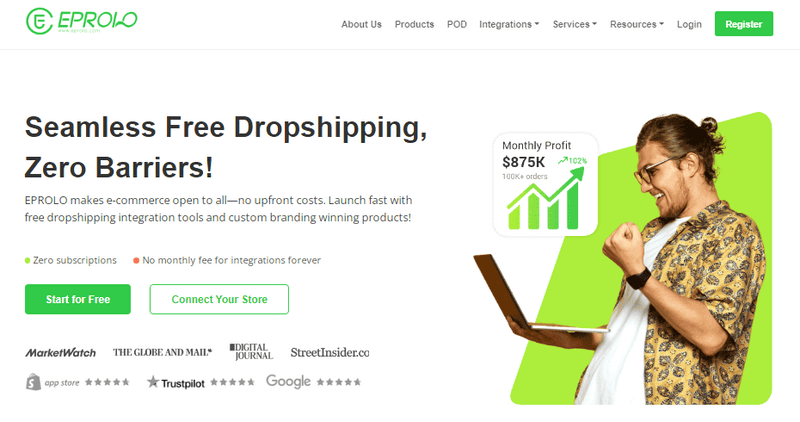
EPROLO es un proveedor de dropshipping gratuito para WooCommerce que ofrece etiqueta privada, almacenamiento global y cumplimiento automatizado de pedidos. Puedes abastecerte de su catálogo o de AliExpress.
Características principales:
- Sincronización automática de pedidos de WooCommerce a EPROLO.
- Marca personalizada (embalaje, tarjetas de agradecimiento, logotipos).
- Almacenamiento global (EE. UU., UE, Asia) para envíos más rápidos.
- Sincronización de seguimiento en tiempo real con tu tienda.
- Inspección de calidad antes del envío.
Precio: Plugin gratuito + costos de producto. Soporte de marca de pago desde $19.90/año.
AliDropship
AliDropship es un plugin dedicado a WooCommerce para el dropshipping de AliExpress. Incluye una extensión de Chrome para importar con un clic, fórmulas de precio automáticas y sincronización de stock.
Características principales:
- Importación de productos con un clic desde AliExpress.
- Fórmulas de precio automatizadas (ej. costo × 2.5).
- Importador de reseñas integrado para prueba social.
- Complemento opcional de autogestión.
- Sincronización de stock cada pocas horas.
Precio: $39/mes (según tabla). Nota: también existe una opción de pago único de $89.
Dropified
Dropified está diseñado para escalar el dropshipping en WooCommerce. Soporta AliExpress, eBay, Walmart y Etsy con seguimiento avanzado de ganancias y pedidos por lotes.
Características principales:
- Soporte para múltiples cuentas y mercados.
- Cumplimiento automatizado de pedidos con sincronización de seguimiento.
- Herramientas de agrupación de productos y venta cruzada.
- Actualizaciones de inventario y precios en tiempo real.
- Procesamiento de pedidos por lotes.
Precio: $50/mes. Prueba gratuita de 14 días disponible.
Spocket
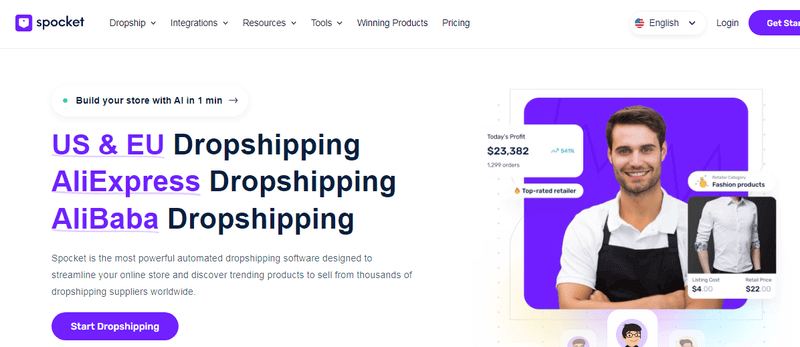
Spocket conecta tu tienda WooCommerce con proveedores de EE. UU./UE con envíos de 2 a 5 días. Ofrece facturación personalizada y sincronización de inventario en tiempo real.
Características principales:
- Proveedores de EE. UU. y la UE – envío rápido (2–5 días).
- Facturación y albaranes personalizados.
- Sincronización de inventario y precios en tiempo real.
- Pedidos de muestra a precios reducidos.
- Soporte al cliente 24/7.
Precio: Desde $39.99/mes. Plan gratuito disponible (productos limitados).
Syncee
Syncee es un mercado de dropshipping curado para WooCommerce con proveedores B2B verificados. Automatiza la importación de productos, actualizaciones de precios y sincronización de stock.
Características principales:
- Más de 250 proveedores verificados, más de 6 millones de productos.
- Sincronización automática de producto, precio e inventario.
- Herramientas de importación y edición masiva.
- Reglas de precios basadas en margen.
- Sin contratos a largo plazo.
Precio: $39.99/mes. Plan gratuito para hasta 25 productos.
Importify
Importify te permite importar productos desde más de 20 mercados (AliExpress, Amazon, Etsy, Walmart) a WooCommerce con un clic, además del cumplimiento automatizado de pedidos.
Características principales:
- Soporta más de 20 mercados.
- Importación de productos con un clic mediante extensión de Chrome.
- Actualizaciones automáticas de inventario y precio.
- Envío de pedidos manual o automático.
- Herramientas de edición de imágenes incluidas.
Precio: $14.95/mes. Demostración de 7 días disponible.
DropshipMe
DropshipMe ofrece un catálogo curado de productos de AliExpress con descripciones reescritas profesionalmente e imágenes de alta resolución, perfecto para tiendas WooCommerce amigables con el SEO.
Características principales:
- Productos seleccionados a mano (filtrados por calidad).
- Descripciones únicas y escritas profesionalmente.
- Imágenes de alta resolución e infografías.
- Importación con un clic a WooCommerce.
- Fórmulas de precio automatizadas.
Precio: Nivel gratuito (50 productos). Planes de pago desde $29/mes.
Wholesale2B
Wholesale2B proporciona acceso a más de 100 proveedores de EE. UU./RU con enrutamiento automatizado de pedidos y listado multicanal (eBay, Amazon, Shopify, WooCommerce).
Características principales:
- Más de 100 proveedores de EE. UU. y RU.
- Reenvío automático de pedidos al proveedor correcto.
- Sincronización de inventario en tiempo real.
- Herramienta de marcado de precio (porcentaje o fijo).
- Soporte de listado multicanal.
Precio: $49.99/mes. También tiene una opción de inicio única.
WooDropship
WooDropship es una herramienta ligera de enrutamiento de pedidos para comerciantes de WooCommerce con acuerdos privados con proveedores. Genera exportaciones CSV y albaranes, sin dependencia de un mercado.
Características principales:
- Enrutamiento de pedidos manual o semiautomático.
- Exportación CSV por proveedor.
- Plantillas de albarán personalizables.
- Soporte para múltiples proveedores por producto.
- Sin dependencia de un mercado externo.
Precio: $89 (pago único).
CJdropshipping
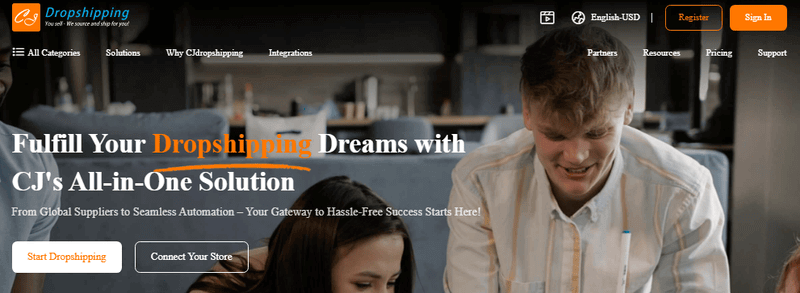
CJdropshipping es un plugin gratuito de WooCommerce conectado a los almacenes globales de CJ (EE. UU., UE, China, Sudeste Asiático). Ofrece cumplimiento automatizado, impresión bajo demanda y marca personalizada.
Características principales para WooCommerce:
- Sincronización automática de pedidos a los almacenes de CJ.
- Sincronización de inventario y precios en tiempo real.
- Personalización de impresión bajo demanda.
- Personalización de fotos y embalajes.
- Almacenes globales para envíos más rápidos.
Precio: Plugin gratuito + costos de producto. Membresía de pago opcional para tarifas de envío más bajas.
Cómo encontrar proveedores fiables para Dropshipping con WooCommerce
Tu proveedor define la experiencia del cliente. Un mal proveedor significa reembolsos, contracargos y clientes enfadados. Cuando gestionas este tipo de tienda, la fiabilidad del proveedor es innegociable.
¿Qué hace a un buen proveedor?
Un proveedor fiable responde en 24 horas, envía en 2–7 días (o indica claramente plazos más largos) y ofrece inspección de calidad. También debe proporcionar sincronización de inventario por API para que nunca vendas artículos agotados.
- Comunicación rápida (menos de 24 horas).
- Pedidos de muestra disponibles.
- Carga consistente de seguimiento.
- Política de devolución clara para defectos.
Señales de alarma a evitar
- Sin dirección física ni número de teléfono.
- Los pedidos siempre tardan más de 30 días.
- Los números de inventario nunca cambian (stock falso).
- Rechazo de pedidos de muestra o exigen grandes pagos por adelantado.
- Muchas reseñas negativas en AliExpress o Trustpilot.
Problemas comunes del Dropshipping con WooCommerce (y cómo evitarlos)
Todo dropshipper enfrenta desafíos, especialmente al gestionar una tienda WooCommerce. Estos son los problemas más comunes y soluciones prácticas para mantener tu tienda rentable y a tus clientes satisfechos.
Largos tiempos de envío
Los largos tiempos de envío son la queja número uno en dropshipping. Los clientes esperan entregas rápidas, y los retrasos a menudo conducen a solicitudes de reembolso o contracargos. Sé transparente: añade una estimación de envío clara en cada página de producto (ej., "Llega en 10–15 días hábiles"). Ofrece una opción de envío express en el checkout para clientes dispuestos a pagar más. Mejor aún, abastécete de proveedores con almacenes globales como EPROLO para envíos de 2 a 5 días.
Baja calidad del producto
Nada mata un negocio de dropshipping más rápido que la mala calidad del producto. Los clientes dejarán reseñas negativas y presentarán disputas, dañando la reputación de tu tienda. Siempre pide muestras antes de listar un nuevo producto; es una pequeña inversión que evita grandes dolores de cabeza. Revisa las reseñas de los proveedores en mercados como AliExpress y limítate a proveedores fiables como EPROLO (que ofrece inspección de calidad) o Spocket (proveedores previamente verificados). Con un control de calidad estricto, puedes reducir las tasas de devolución y generar confianza con el tiempo.
Problemas de sincronización de inventario
Vender productos agotados lleva a pedidos cancelados y clientes enfadados. Muchos plugins de dropshipping para WooCommerce ofrecen sincronización de inventario en tiempo real; úsalos. Spocket, Syncee y Dropified actualizan automáticamente los niveles de stock de los proveedores. Además, establece una programación de sincronización diaria como respaldo. Si un producto deja de estar disponible, escóndelo de tu tienda o márcalo como "pendiente" con un aviso claro.
Conflictos de plugins
Los plugins de dropshipping de WooCommerce suelen añadir tipos de contenido personalizados, trabajos cron y llamadas API. Los conflictos con plugins de caché, SEO o constructores de páginas pueden romper tu tienda. Siempre prueba las actualizaciones primero en un sitio de pruebas (la mayoría de los proveedores de alojamiento ofrecen pruebas con un clic). Mantén tus plugins activos por debajo de 20; menos piezas móviles significan menos conflictos. Además, elige plugins bien codificados de desarrolladores reputados como los mencionados anteriormente, ya que prueban regularmente la compatibilidad con la última versión de WooCommerce.
Altas tasas de reembolso
El mayor coste oculto del dropshipping son los reembolsos. Incluso si el producto está bien, los largos plazos de envío pueden desencadenar el arrepentimiento de la compra. Sobrecarga de comunicación: envía correos electrónicos automáticos de actualización del pedido. Añade fotos y vídeos de alta calidad para establecer expectativas precisas. Para artículos no retornables (ej., productos personalizados), ofrece un reembolso parcial o crédito en la tienda en lugar de un reembolso completo; muchos clientes lo aceptarán.
Descripciones de productos duplicadas
Cientos de dropshippers copian y pegan las mismas descripciones de AliExpress, lo que lleva a contenido duplicado. Google penaliza esto, hundiendo tus páginas de producto en los rankings de búsqueda. Reescribe cada descripción con tu propia voz; enfócate en los beneficios, no solo en las características. Esto también ayuda al SEO de tu tienda. Si no tienes tiempo, considera DropshipMe, que proporciona descripciones reescritas profesionalmente, o usa herramientas de IA como ChatGPT para reformular el texto del proveedor.
Conclusión
Construir este tipo de tienda en 2026 es una jugada inteligente si valoras el control, los bajos costes y el poder del SEO. Empiezas con una inversión mínima, escalas sin comisiones de plataforma y eres dueño de cada relación con el cliente. Las claves del éxito son elegir el plugin adecuado, verificar a los proveedores a fondo, reescribir las descripciones de los productos y resolver los problemas de envío de forma proactiva. Ningún plugin reemplaza el trabajo duro. Prueba los productos tú mismo, comunica los retrasos con honestidad y construye gradualmente una marca en la que la gente confíe.
Preguntas Frecuentes (FAQ)
1. ¿Qué es el dropshipping con WooCommerce?
El dropshipping con WooCommerce es un modelo de negocio en el que gestionas una tienda online sin mantener inventario.
Cuando un cliente hace un pedido, el producto se compra a un proveedor que lo envía directamente al cliente.
Esta configuración te permite concentrarte en el marketing, la selección de productos y la optimización de la tienda en lugar de la logística o el almacenamiento.
2. ¿Se puede hacer dropshipping con WooCommerce?
Sí, WooCommerce es totalmente compatible con el dropshipping a través de plugins e integraciones como EPROLO, AliDropship, Spocket y CJdropshipping.
Estas herramientas conectan tu tienda directamente con los proveedores, automatizan el reenvío de pedidos y sincronizan los números de seguimiento con tu tienda. Esto hace posible gestionar una operación de comercio electrónico totalmente automatizada con un trabajo manual mínimo.
3. ¿Cuál es el mejor plugin de dropshipping para WooCommerce?
No hay un único plugin "mejor", porque depende de tus objetivos comerciales:
- EPROLO – mejor opción todo-en-uno con marca y automatización
- Spocket – mejor para envíos rápidos en EE. UU. y la UE
- AliDropship – mejor solución de pago único
- Dropified – mejor para escalar y abastecimiento multiplataforma
Si estás empezando, EPROLO o Spocket suelen ser las opciones más amigables para principiantes.
4. ¿Cuánto cuesta el dropshipping con WooCommerce?
Los costes de inicio son relativamente bajos en comparación con otras plataformas de comercio electrónico.
En promedio, puedes esperar:
- Alojamiento: $10–$30/mes
- Dominio: ~$10–$15/año
- Plugin: $0–$50/mes según la herramienta
- Comisiones de procesamiento de pagos: ~2.9% + $0.30 por pedido
Esto convierte a WooCommerce en una de las formas más rentables de iniciar una tienda online.
5. ¿Es rentable el dropshipping con WooCommerce en 2026?
Sí, puede ser rentable si eliges el nicho, los proveedores y la estrategia de marketing adecuados.
Los márgenes de beneficio típicos oscilan entre el 20% y el 100%, según el tipo de producto y el posicionamiento. Sin embargo, el éxito depende menos de la plataforma y más de la ejecución, especialmente la selección de productos, la fiabilidad del proveedor y la optimización de la conversión.
También te puede gustar
Escrito por Aria
Aria es escritora de comercio electrónico y estratega de contenidos centrada en el dropshipping y el emprendimiento digital. Le apasiona ayudar a los vendedores online a tener éxito y crea guías claras y prácticas sobre tendencias de productos, estrategias de marketing y crecimiento empresarial.