Most Shopify merchants spend a lot of time on ads, product pages, and checkout flows. But once a customer clicks Buy, the experience often falls apart. The order tracking page gets ignored - treated like an afterthought instead of the revenue opportunity it really is. Here's the reality: the Shopify tracking page is one of the most visited pages in your entire store. Customers return to it repeatedly after every purchase. That makes it a high-intent, high-traffic touchpoint - the perfect place to build trust, cut support costs, and drive more sales.
This guide covers everything you need to know: what a Shopify tracking page is, why a branded tracking page matters, how to customize your order tracking page, and which apps can help you turn routine shipping updates into real revenue.
Key Takeaways
- Branded Tracking Is a Revenue Asset: A Shopify tracking page is one of your store's most visited pages — treat it like a paid landing page to build trust, cut support costs, and drive additional sales without extra ad spend.
- Real-Time Visibility Is Non-Negotiable: Over 97% of online shoppers expect real-time order visibility, and 85% would switch stores for a better tracking experience — proactive communication stops most WISMO inquiries before they reach your inbox.
- WISMO Drains Support Budgets: WISMO queries make up 40–50% of support tickets, costing stores up to $20+ per ticket. A self-serve branded tracking page reduces these costs at the root by giving customers instant answers.
- Third-Party Apps Unlock Full Potential: Native Shopify tracking is a starting point, but third-party apps like Synctrack, AfterShip, and ParcelWILL deliver full branding control, multi-carrier support, automated notifications, and built-in revenue tools.
- Post-Purchase Upsells Drive AOV: Well-targeted one-click post-purchase offers on the tracking page typically drive a 10–20% lift in average order value, with acceptance rates averaging 8–15%.
Table of Contents
What Is a Shopify Tracking Page?
A Shopify tracking page is a page on your store where customers can enter their order number, email, or tracking number to see the real-time status of their shipment. Instead of sending customers to a generic UPS or FedEx page, a proper tracking page lives on your own domain and matches your brand from start to finish.
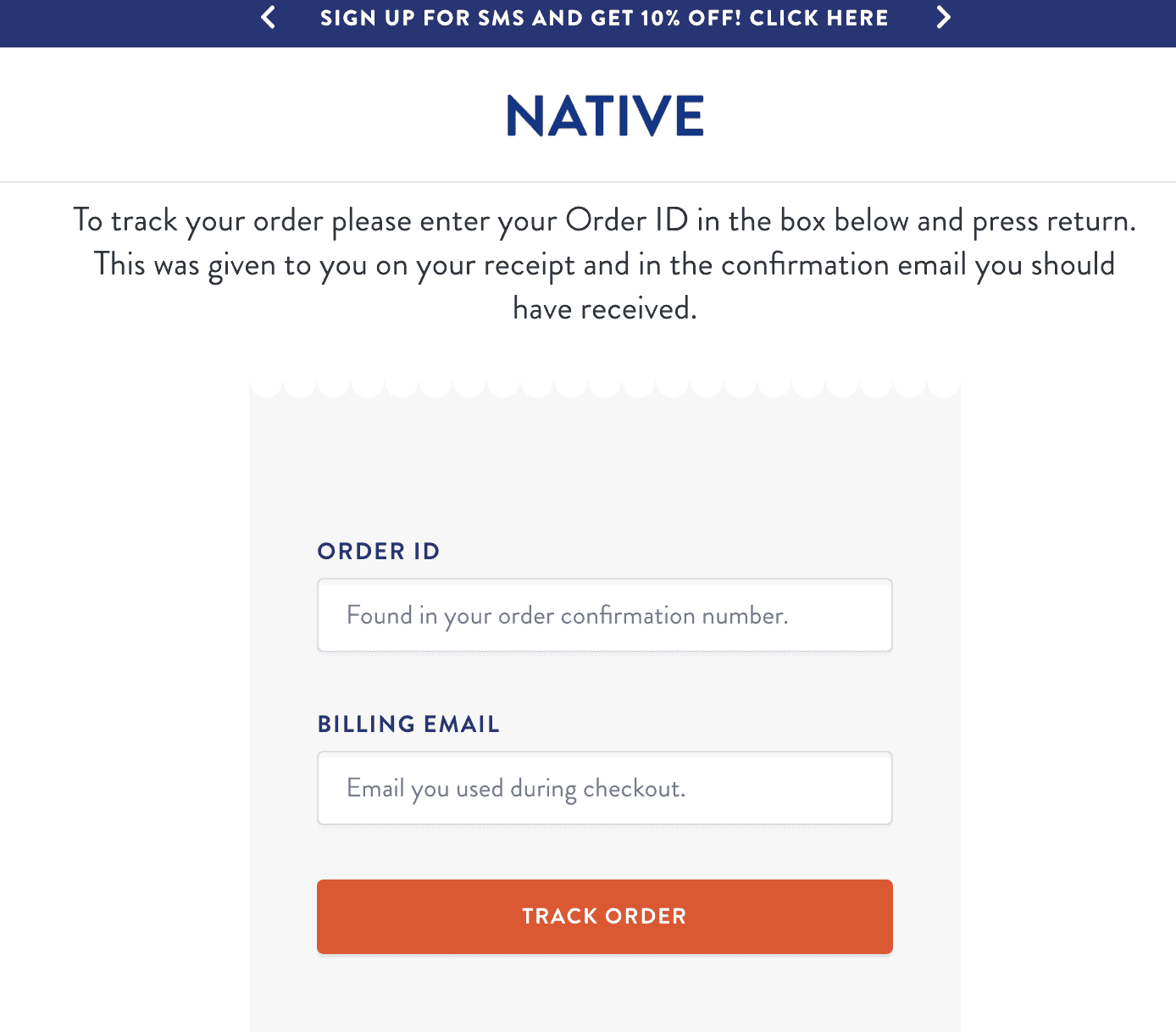
Shopify gives every store a basic order status page by default. It appears right after checkout and shows what was purchased, where it's going, and a tracking link. For major carriers like USPS, FedEx, UPS, and DHL, Shopify shows updates like Confirmed, In Transit, Out for Delivery, and Delivered.
That's a decent start - but it's just the bare minimum. The default page offers no real branding, no product recommendations, and no analytics. For merchants who want to grow, that gap is where a customized tracking page makes all the difference.
Why a Branded Tracking Page Is Non-Negotiable in 2026
Customers Expect Real-Time Order Visibility
Customer expectations have shifted. Over 97% of online shoppers expect real-time visibility into their shipment, and 85% say they would switch stores for a better tracking experience. These aren't edge cases - they represent the majority of your buyers.
The fix isn't faster shipping. It's better communication. Proactively sharing milestones - order confirmed, packed, shipped, out for delivery, delivered - stops most WISMO inquiries before they ever reach your inbox.
The Tracking Page Is a Revenue Asset, Not Just an Ops Tool
Most merchants treat the tracking page as an operational necessity. The smart ones treat it like a paid landing page. Every time a customer checks their shipment status, they're already thinking about your brand. Branded tracking pages create multiple high‑intent touchpoints - customers revisit them 3-4 times per order, and brands report meaningful uplift in cross‑sells and repeat orders when they add relevant product recommendations.
A well-placed cross-sell below the tracking status, a replenishment reminder, or a "buy again" prompt can meaningfully increase average order value - without any additional ad spend.
The WISMO Problem Is Draining Your Support Budget

"Where Is My Order?" - also known as WISMO - is one of the most common questions in ecommerce support. These queries make up 40–50% of all support tickets, and in some setups, perëticket cost can go as high as $20+, depending on the support structure. For a store handling 10,000 orders a month with a 15% WISMO rate, that's 1,500 tickets and roughly $7,500 in support costs every single month - just to answer one basic question.
A self-serve branded tracking page solves this at the root. When customers can check their order status anytime without contacting support, WISMO volume drops fast.
Brand Consistency Builds Repeat Customers
When you send customers to a carrier's tracking page, you lose the brand touchpoint entirely. Their last impression of your store is a DHL or USPS interface - no logo, no messaging, no connection to you. A branded tracking page that uses your colors, your voice, and your products reinforces identity and turns one-time buyers into loyal customers.
Branded tracking pages also reduce customer inquiries by up to 25% simply because customers get clear, instant answers without any friction.
How to Customize Your Shopify Order Tracking Page
There are two ways to set up a tracking page on Shopify: use the native system or install a third-party app. For most growing stores, the app route is the better choice - it gives you full branding control, multi-carrier support, notifications, and built-in revenue tools.
Option 1: Shopify's Native Order Status Page
If your store is in the early stages, Shopify's built-in order status page gets the job done. Here's how to set it up properly:
Step 1: Add Tracking Numbers to Your Orders
- Go to Shopify Admin → Orders and select the order you want to update.
- In the fulfillment section, enter the tracking number and select the correct carrier.
- Enable "Send shipment details to customer" so Shopify fires the shipping confirmation email automatically.
Step 2: Check Your Email Templates
Shopify's default email templates include a link to the order status page using {{ order_status_url }}. If you've customized your templates and removed this tag, add it back. Without it, customers can't reach their tracking info from their inbox.
Step 3: Add a "Track My Order" Page
- Go to Online Store → Pages → Add Page.
- Name it "Track My Order" and add instructions directing customers to their confirmation email or account login.
- Go to Online Store → Menus and add this page to your main navigation or footer.
Step 4: Test the Full Experience
Place a test order, fulfill it with a real tracking number, and confirm the tracking link in the email resolves correctly. This step is often skipped - and it frequently reveals broken templates.
Important note: Shopify is updating its order status pages. Merchants not on Shopify Plus will need to upgrade their order status pages by August 2026. Stores that used scripts to customize these pages will need to rebuild using Shopify's newer toolset.
Option 2: Third-Party Tracking Apps (Recommended)
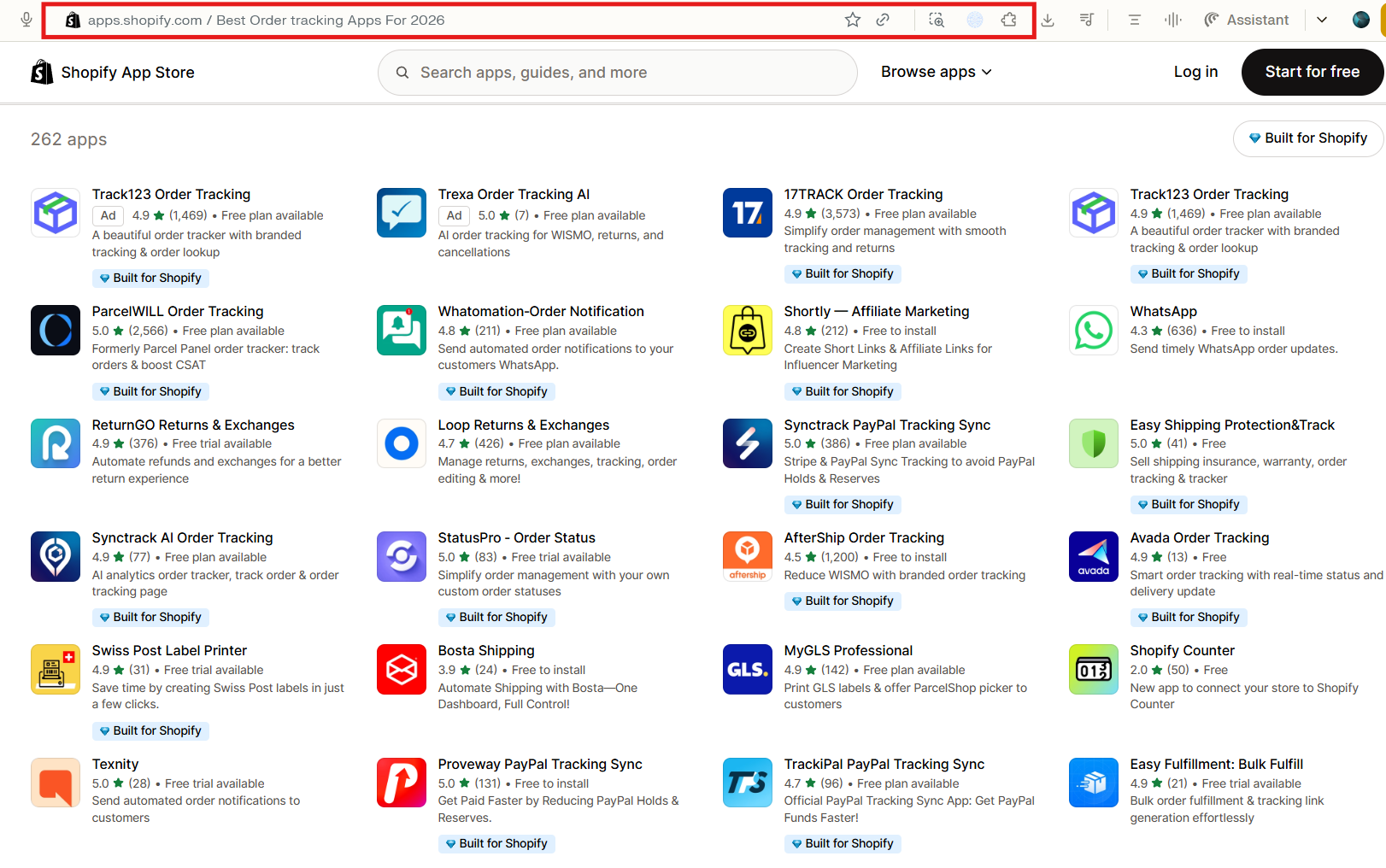
Third-party apps unlock everything the native system can't offer: full visual branding, multi-carrier tracking, automated email and SMS notifications, product recommendations, and post-purchase upsell modules. The general setup process looks like this:
- Install the app from the Shopify App Store and connect it to your store.
- Set up carrier detection - most apps auto-detect carriers from the tracking number.
- Create and name your branded tracking page (e.g., Track Your Order).
- Customize the page: upload your logo, match brand colors, choose a layout, and configure lookup methods (order ID, email, tracking number, or phone).
- Add custom shipping statuses if needed - for example, In Production or Quality Check for made-to-order products.
- Embed product recommendations below the tracking status to drive cross-sells.
- Add the tracking page to your main menu and footer.
- Test across multiple order statuses (shipped, in transit, delivered) and on mobile.
Best Shopify Order Tracking Apps in 2026
Choosing the right tracking app depends on your store's size, carrier mix, branding needs, and budget. Here are the top options on the Shopify App Store today.
1. Synctrack Order Tracking
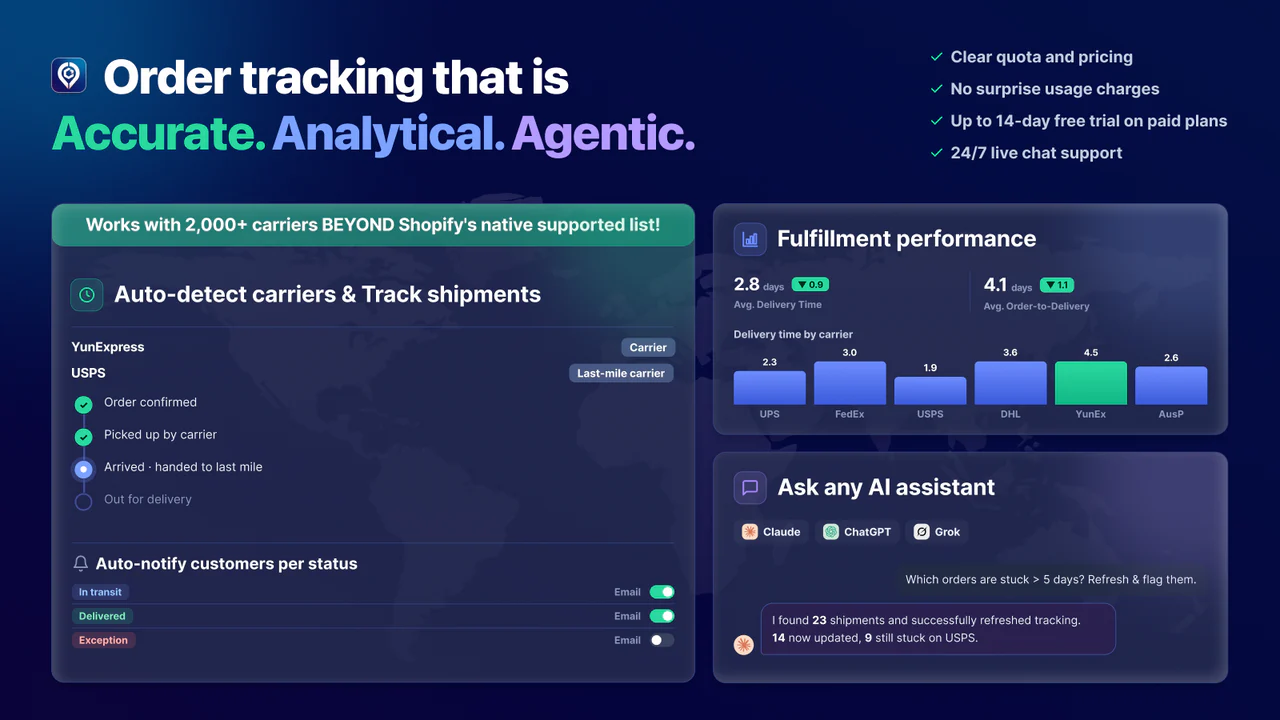
Synctrack Order Tracking is a Shopify-native tracking app focused on the post-purchase experience. It offers a branded tracking page on your own domain, real-time shipment updates across 2,000+ carriers, and automated notifications bundled into one tool. Merchants typically use it to reduce "where is my order" support tickets and keep delivery communication consistent with their store's branding.
Key features:
- Branded tracking page hosted on your own store domain - fully customizable to match your logo, colors, and layout.
- Supports 2,000+ carriers worldwide, including DHL, UPS, USPS, FedEx, and YunExpress, with automatic carrier detection.
- Automated email and SMS notifications at every shipping milestone.
- AI-powered fulfillment analytics to track delivery performance and catch delays early.
- Shopify Flow integration to trigger automated workflows based on shipping events.
- Direct PayPal sync to protect Seller Protection status and reduce dispute risk.
Pricing
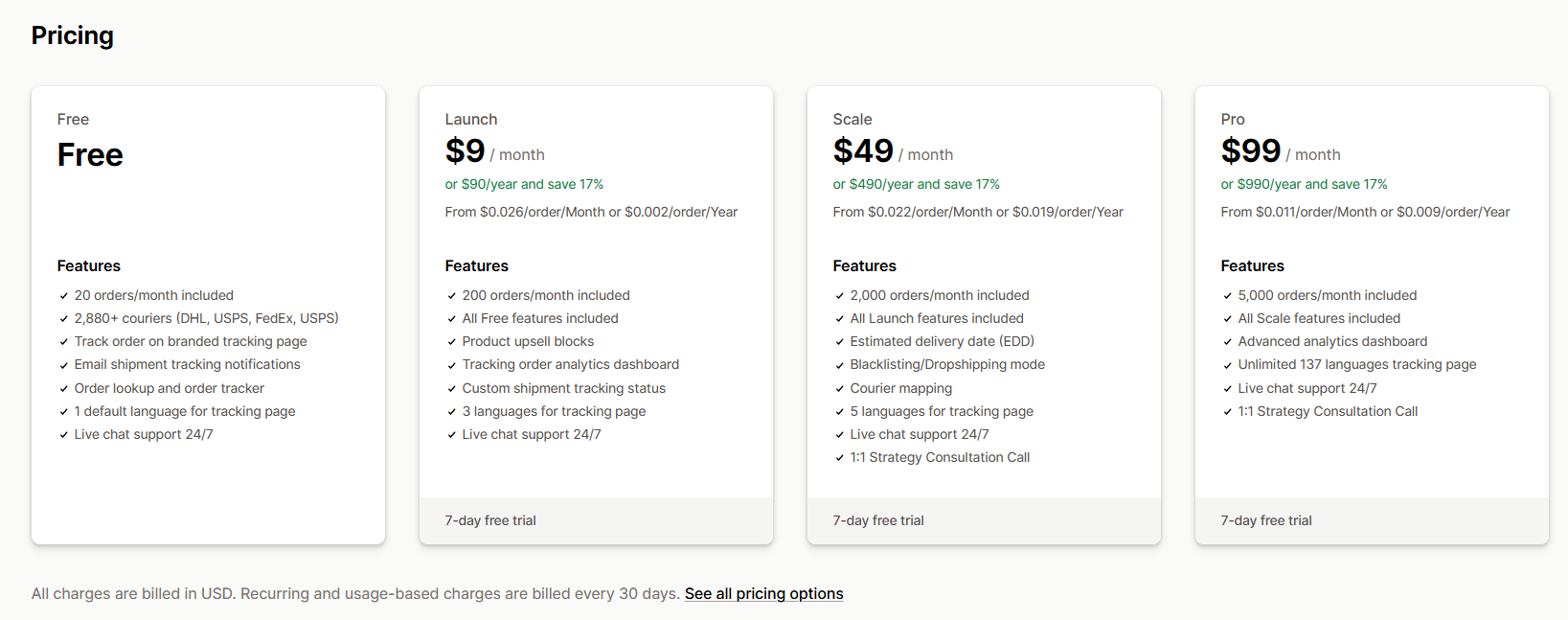
Synctrack holds a 4.9-star rating on the Shopify App Store. Merchants consistently praise the fast setup, reliable tracking, and responsive support team.
Best for: Small and Medium Shopify merchants who want a clean, branded tracking experience that reduces support workload and keeps customers informed at every step - without needing a big tech setup to make it work.
2. AfterShip Order Tracking
AfterShip Order Tracking is one of the most established tracking platforms in the Shopify ecosystem. It connects to 1,100+ carriers globally and combines a branded tracking page, automated email/SMS notifications, AI‑powered delivery estimates, and a detailed analytics layer.
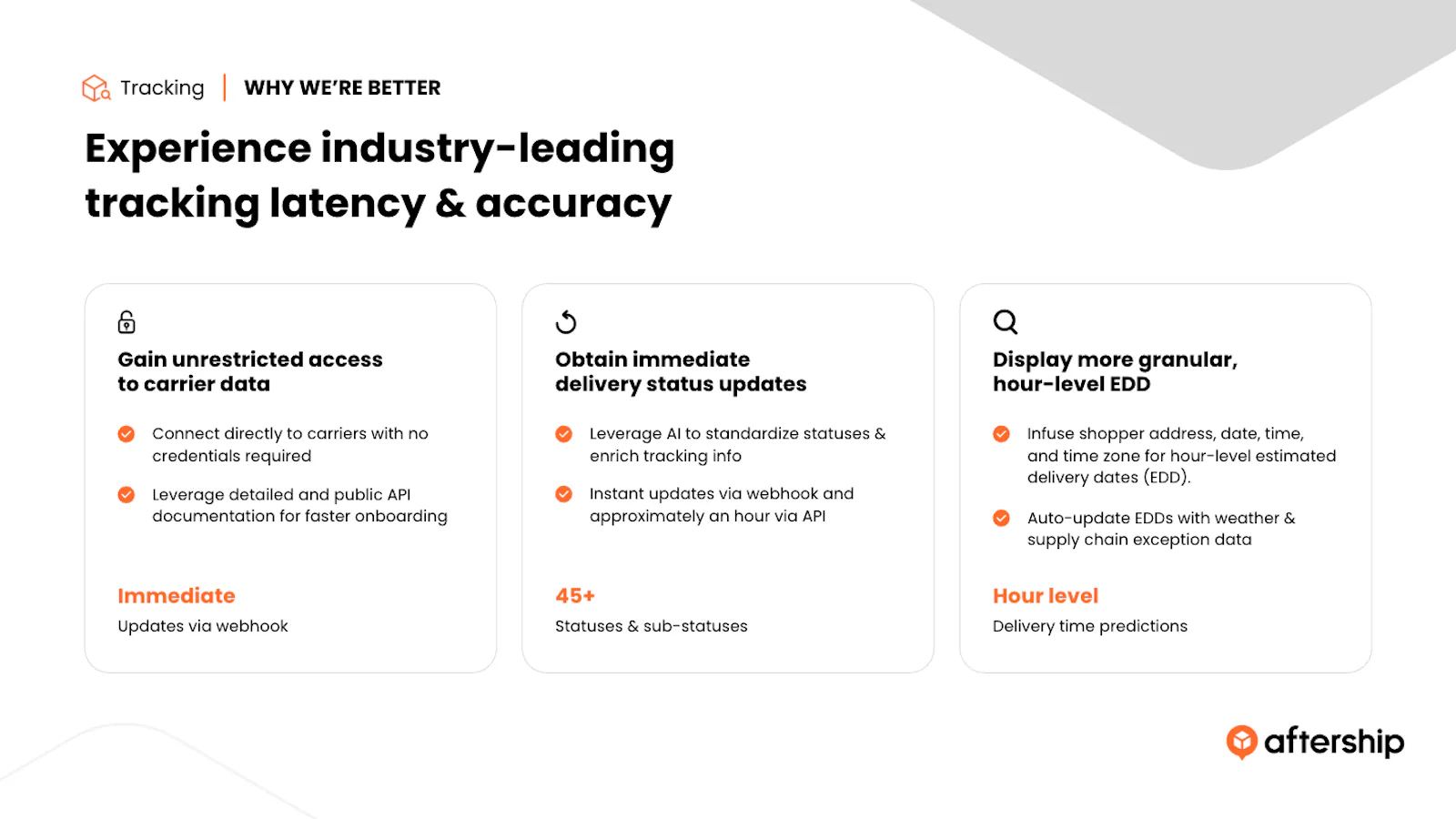
Key features:
- Branded tracking page with customizable layout, colors, and messaging.
- Supports 1,100+ carriers globally with smart carrier auto-detection.
- Automated email and SMS notifications with customizable trigger points at every shipping milestone.
- AI-powered estimated delivery dates displayed on the tracking page to reduce customer uncertainty.
- Advanced analytics dashboard covering on-time rates, transit times, and carrier performance.
- Deep integrations with Klaviyo, Gorgias, Omnisend, and other leading Shopify tools.
AfterShip generally receives strong ratings from Shopify merchants, who highlight its carrier breadth and robust reporting as key reasons for choosing it.
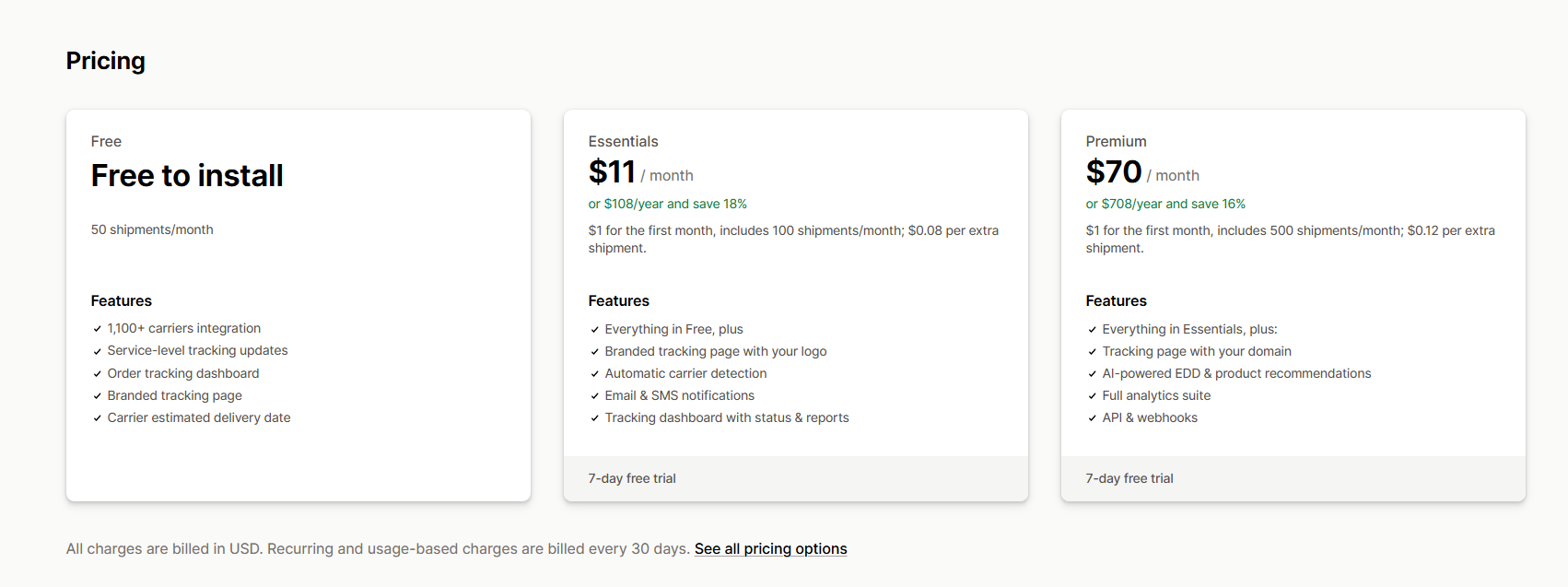
Best for: Higher‑volume stores that need broad carrier coverage, detailed shipping analytics, and tight integrations with their existing marketing and support stack. Be aware that many of the more advanced carrier options and features sit behind the Premium tier, which some merchants view as a high cost.
3. ParcelWILL Order Tracking
ParcelPanel (now rebranded as ParcelWILL) is a popular tracking app for brands and dropshippers looking for a clean UI and flexible control over what customers see. It provides a branded tracking page, multi‑language support, and options to hide supplier or origin details, which are useful for dropshipping workflows.
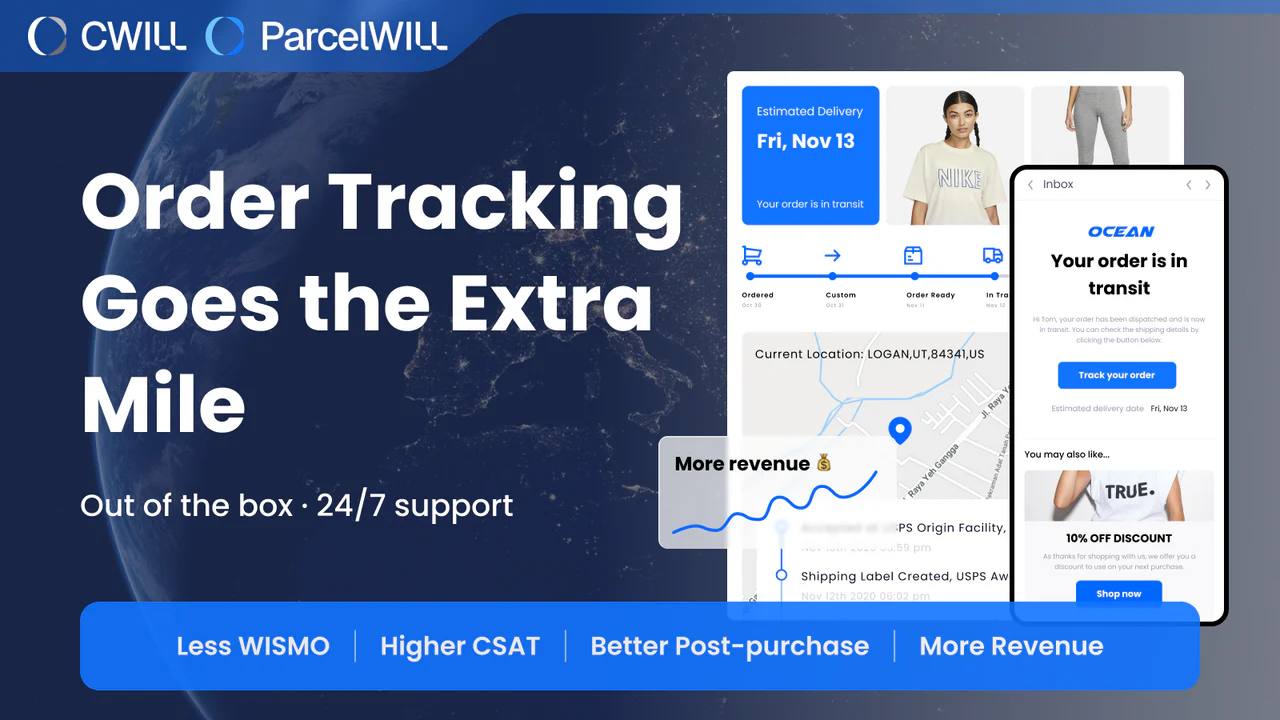
Key features:
- Branded tracking page created automatically on installation, with customizable layout and status labels.
- Supports a wide range of international carriers with real-time syncing to Shopify and PayPal.
- Automated shipping notification emails at every milestone — info received, in transit, out for delivery, and delivered.
- Dropshipping mode that hides supplier names, origin countries, and carrier details from the customer-facing tracking page.
- Analytics dashboard covering order-to-delivery time, transit time, exceptions, and tracking page session data.
- Multi-language tracking page support, making it a practical choice for stores selling across multiple regions.
Pricing
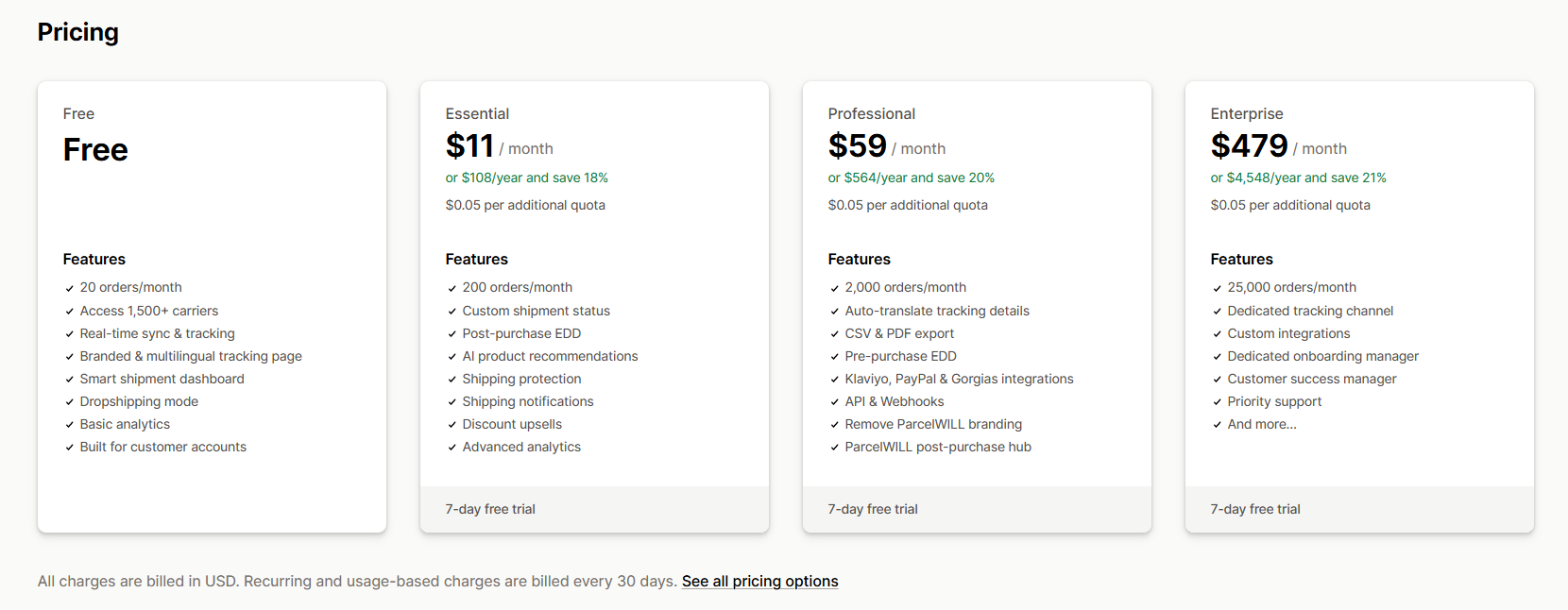
Best for: Dropshipping stores and international merchants that need multi‑language tracking pages and control over supplier visibility, while still keeping a branded, customer‑friendly post‑purchase experience.
How to Increase Shopify Tracking Page's AOV With Post-Purchase Upsell
A post-purchase upsell is an offer that appears after the customer completes payment - on the confirmation page, the thank-you page, or embedded within the tracking page itself. Because the original order is already secured, there's no risk of cart abandonment. One-click acceptance means no friction from re-entering card details.
Well-targeted one‑click post‑purchase offers typically drive a 10–20% lift in average order value, with some Shopify stores reporting up to 25% AOV growth and 15–20% gains in revenue per session. Acceptance rates for relevant one-click offers average 8–15%.
The tracking page is a particularly strong surface for this. Customers who come back to check their shipment status are already re-engaged with your brand - their attention is captured, and intent is high. Here's how to make the most of it:
- Show complementary product recommendations. Match the recommendation to what the customer bought. A phone case buyer should see screen protectors. A skincare buyer should see a matching serum. Time it right - when the order has just shipped, excitement is at its peak.
- Trigger replenishment reminders. For consumable products, schedule a reorder prompt to appear after the estimated consumption window. This keeps customers from buying the same item elsewhere when they run out.
- Display a loyalty points balance. Showing how many points a customer has earned - and how close they are to a reward - is a low-friction nudge toward a second purchase.
- Surface bundle offers. If a customer bought a single item, the tracking page is a natural moment to show a bundle for their next order.
- Add a free shipping threshold prompt. A "You're $X away from free shipping" message motivates customers to add one more item the next time they visit.
- Keep it to one offer at a time. A single clear option converts better than a grid of alternatives. And if a customer declines, a lower-priced downsell offer can still recover a portion of the missed revenue.
- Add a discount with urgency. Testing a 10–20% discount with limited-time framing increases conversion without hurting margins significantly.
Final Thoughts
Every order you fulfill is a chance to bring a customer back or lose them to a competitor. A well-built Shopify tracking page keeps your brand front and center after checkout, answers questions before they're asked, and opens the door to more revenue without extra ad spend. The setup is straightforward. The results show up quickly. There's no good reason to wait.
Start Optimizing Your Post-Purchase Experience with Eprolo
You now have the roadmap to turn your Shopify tracking page into a revenue-generating asset. From branded tracking pages and automated notifications to post-purchase upsells, every element works together to reduce support costs, increase customer trust, and drive repeat sales. Eprolo.com provides the sourcing and fulfillment infrastructure to support your branded store - with custom packaging, private labeling, and reliable shipping that keeps customers coming back. Start building your high-margin brand today.
Read More from EPROLO Blog
Written by
With over 10 years of e-commerce experience, Carry specializes in dropshipping, website management, and marketing strategies. She provides actionable insights that help online sellers grow, optimize their stores, and succeed in a competitive marketplace.