The world of ecommerce is evolving rapidly, and dropshipping remains one of the most accessible ways to start an online business. In 2026, Wix dropshipping has emerged as a serious contender for entrepreneurs who want simplicity without sacrificing design. But is it the right platform for you?
This guide explains everything you need to know about Wix dropshipping—from the basic workflow to step-by-step setup, realistic profit expectations, and common pitfalls to avoid.
Key Takeaways
- Wix dropshipping in 2026 is viable for beginners and small-store owners who prioritize design and ease of use over advanced automation.
- The platform requires dropshipping apps like EPROLO, Spocket, or Modalyst for product sourcing, inventory sync, and order fulfillment.
- Realistic profit margins range from 10 to 30 percent, with typical monthly profits of $500 to $5,000 after 3 to 6 months of consistent effort.
- Key success factors include niche selection, reliable suppliers with fast shipping (under 10 days), and active marketing beyond platform tools.
- EPROLO stands out for branding with custom packaging, private labeling, quality inspection, and real-time inventory sync for long-term store building.
Table of Contents
What Is Wix Dropshipping?
Before diving into the mechanics, let's clarify what dropshipping actually means—and where Wix fits in.
Dropshipping is a retail fulfillment method where you don't keep the products you sell in stock. Instead, when a customer places an order in your store, you purchase the item from a third-party supplier who ships it directly to the customer. You never see or handle the product yourself.
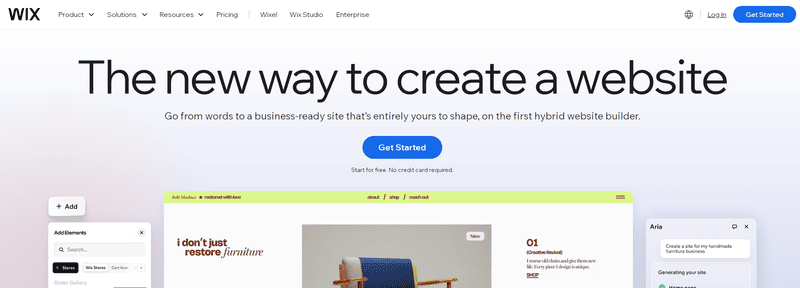
Wix fits into this model as a website builder + ecommerce platform. While Wix started as a simple drag-and-drop site creator, it now offers robust ecommerce features, including the ability to connect dropshipping apps directly to your store.
Is Wix Dropshipping Good in 2026?
Short answer: yes, with the right expectations.
Wix has matured significantly as an ecommerce platform over the past few years. It supports global payments, shipping rules, app integrations, and a growing ecosystem of third-party tools. All the things you'd expect from a platform you're going to sell on.
The two biggest reasons sellers choose Wix are flexibility and brand control. If you want a store that genuinely looks and feels like yours—not a cookie-cutter template buried inside a marketplace, Wix gives you that freedom.
But it's worth being honest about the tradeoffs. Wix dropshipping isn't a plug-and-play dropshipping solution. Compared to platforms that were purpose-built for dropshipping, Wix relies more on integrations to get the full workflow running. For sellers who are willing to connect the right tools, that's a non-issue. For those expecting everything ready out of the box, it may feel a bit more hands-on.
In 2026, Wix dropshipping works best for beginners, side-hustlers, and small-store owners who value design and simplicity over advanced automation. If that sounds like you, it's a great fit. If you need enterprise-scale fulfillment or hundreds of automation rules, look elsewhere.
Pros and Cons of Wix Dropshipping
Pros
- No inventory risk – You only buy products after making a sale.
- Low startup cost – No warehouse, no bulk purchasing.
- Wide product selection – Access to millions of products via dropshipping apps.
- Location independence – Run your store from anywhere.
- Built-in SEO tools – Wix offers meta tags, alt text, URL structure, and schema markup.
Cons
- Lower profit margins – Supplier costs + Wix fees + marketing leave thinner margins than traditional retail.
- Shipping complexity – Customers expect fast delivery (2–5 days), but many suppliers take longer.
- Limited quality control – You never see the product before it ships to a customer.
- Higher competition – Low barriers to entry mean many sellers offer similar products.
- Platform dependence – Your store lives on Wix; migrating later can be tedious.
What You Need to Know Before Starting
Don't jump in blindly. These five realities will save you time, money, and frustration.
Realistic Profit Expectations
Most dropshippers make 10–30% margins after product costs, transaction fees, and marketing. A first-time store might generate $500–$2,000/month in profit, not millions. Treat dropshipping as a real business, not a get-rich-quick scheme.
Supplier and Shipping Considerations
Your customer's experience depends entirely on your supplier. Slow shipping from China (15–30 days) will kill repeat business. In 2026, US-based suppliers or EU-based suppliers are strongly preferred unless you sell unique, high-demand items.
Dependency on Apps
Wix does not natively fulfill dropshipping orders. You must rely on third-party apps (like EPROLO, Spocket, or Modalyst) for product sourcing, inventory sync, and order routing. That adds a layer of complexity—and sometimes monthly fees.
SEO and Traffic Challenges
A beautiful store with no traffic sells nothing. Wix's SEO is solid, but you still need to learn keyword research, content marketing, and link building. Many beginners underestimate how hard (and expensive) customer acquisition can be.
Competition Level
Dropshipping is no longer a secret. Hundreds of thousands of stores compete for the same products and audiences. Winning requires branding, niche selection, and customer experience—not just a template and product lists.
How to Start Wix Dropshipping (Step-by-Step)
Follow these nine detailed steps to launch your Wix dropshipping store in 2026. Each step includes practical instructions, helpful tips, and common pitfalls to avoid.
Step 1: Create Your Wix Account
Go to wix.com in your browser and click Get Started. Sign up using your email address, Google account, or Facebook. If you already have a personal Wix account, you can log in with your existing credentials. Anything you have already built on Wix—saved designs, contacts, or previous sites—remains accessible.
After logging in, you will land on your Wix dashboard. From here, you need to select a Business and Ecommerce plan. Wix offers several tiers: Business Basic, Business Unlimited, and Business VIP. For most beginners, Business Basic is sufficient. It includes product listings, payment acceptance, abandoned cart recovery, and dropshipping app access.
Pro tip: Wix frequently runs promotions for annual plans, which can reduce the monthly cost significantly. Do not use a free plan for dropshipping—it does not support payment gateways or third-party fulfillment apps.
Step 2: Choose Your Ecommerce Template
Wix offers over 800 designer-made templates, but not all are built for ecommerce. Navigate to Templates. This filters to templates with product pages, shopping carts, checkout flows, and mobile optimization built in.
When selecting a template, look for these qualities:
- Clean product gallery layouts – Customers should see product images and prices without clicking endlessly.
- Mobile responsiveness – Over 60 percent of ecommerce traffic comes from mobile devices in 2026. Test every template on your phone before committing.
- Fast loading speed – Heavy templates with large animations can slow down your store. Wix provides a speed score for each template.
You are not locked into your template forever. Wix allows you to switch templates later, but you will need to reconfigure product pages and menus. Choose a template that feels 80 percent right and customize the remaining 20 percent.
Step 3: Install a Dropshipping App from the Wix App Market

Wix does not have native dropshipping functionality. You need a third-party app. Go to the Wix App Market (linked from your dashboard sidebar) and search for "dropshipping."
In 2026, the most reliable options are:
- EPROLO – Best for custom branding, private labeling, and long-term scaling. Offers quality inspection and real-time inventory sync.
- Spocket – Focuses on US and EU suppliers with faster shipping times (3–7 days). Higher product costs but better customer experience.
- Modalyst – Strong for fashion, accessories, and premium products. Integrates with AliExpress and independent brands.
Click Add to Site on your chosen app, then follow the installation prompts. Most apps will ask for permission to access your product listings, orders, and customer data. This is required for fulfillment automation. After installation, you will be redirected to the app's dashboard to complete setup.
Pro tip: Install only one dropshipping app at a time. Multiple apps managing the same product catalog can create duplicate listings and inventory conflicts.
Step 4: Research and Select Products to Import
Before you import hundreds of products, spend time on research. Your product selection determines shipping times, profit margins, and customer satisfaction. A good product for Wix dropshipping usually meets these criteria:
- Solves a specific problem or fulfills a clear desire
- Is lightweight enough for affordable international shipping
- Is not easily found on Amazon with two-day delivery
- Has a perceived value higher than its actual cost
Within your dropshipping app, browse supplier catalogs using filters like Shipping Origin (US, EU, China), Order Volume, and Product Category. Pay attention to the processing time—how many days the supplier takes to pack and ship an order after purchase.
For product research, use these free methods:
- Browse trending sections on AliExpress (orders in the last 24 hours)
- Watch TikTok and Instagram Reels for products getting organic engagement
- Look at Facebook Ad Library to see what dropshipping stores are actively advertising
Start with 10 to 20 products, not hundreds. A focused catalog is easier to optimize and market than a cluttered one.
Step 5: Import Products to Your Wix Store
Once you have selected products inside your dropshipping app, the import process is usually one click. Look for a button labeled Add to Store. The app will automatically create product pages in your Wix dashboard, including images, titles, descriptions, variants (size, color), and supplier pricing.
But do not stop there. Auto-imported descriptions are often poorly written and duplicate what hundreds of other dropshipping stores use. You need to edit each product listing before publishing:
- Rewrite titles – Include keywords buyers actually search for. Instead of "Men's Stainless Steel Watch," try "Minimalist Men's Stainless Steel Watch – Waterproof Analog Timepiece."
- Improve descriptions – Focus on benefits, not features. "Keeps you warm in winter" sells better than "100% cotton construction."
- Check product images – Remove images with watermarks, unclear angles, or background clutter. Add lifestyle photos showing the product being used.
- Verify variants – Make sure size and color options are correctly mapped. A common error is showing "Available: 0" for a variant that is actually in stock.
Wix allows bulk editing through the Products tab in your dashboard, but for your first 10 products, manual editing produces better quality.
Step 6: Set Your Pricing and Profit Margins
Your pricing strategy determines both your profit and your conversion rate. Price too high and no one buys. Price too low and you lose money after fees and marketing.
Here is a reliable formula for beginners: Retail Price = Supplier Cost × 2 to 2.5.
For example, if a product costs $10 from your supplier, list it between $20 and $25. This covers:
- Supplier product cost ($10)
- Wix transaction fees (approximately 2.9 percent + $0.30 per order)
- Marketing costs (Facebook or Google ads)
- Your net profit (usually 20 to 35 percent)
Step 7: Configure Payment Gateways and Shipping Rules
You cannot get paid without configuring payment gateways. In your Wix dashboard, go to Settings → Accept Payments. Enable at least these three options:
- Wix Payments – The native solution with competitive rates and automatic settlement.
- PayPal – Many customers prefer PayPal for buyer protection and one-click checkout.
- Stripe – Good backup and supports international cards.
Next, configure shipping rules under settings. Shipping is where many dropshippers lose customers. Do these three things:
- Set clear delivery estimates – If your supplier takes 7 to 12 days, write "Delivery in 7–12 business days" on every product page and at checkout. Hiding long shipping times creates refunds and disputes.
- Offer at least one flat-rate option – For example, $4.99 for standard shipping on orders under $40.
- Create a free shipping threshold – Free shipping for orders over $50 encourages larger purchases and often covers your costs.
Wix allows you to set different shipping rules for different regions. If you only sell to the US and Canada, configure those zones first. You can add international shipping later.
Step 8: Test Your Store With a Sample Order

Before you launch to real customers, test the entire fulfillment flow yourself. This step is non-negotiable. Many beginners skip testing and later discover that product images are misaligned, shipping costs are wrong, or the supplier sends low-quality items.
Here is your testing checklist:
- Place an order on your own store using a real payment method (you can refund yourself later).
- Verify that the order appears correctly in your dropshipping app's dashboard.
- Confirm that the app sends the order to your supplier automatically or with one click.
- Wait for the supplier to provide a tracking number (usually 1 to 3 days).
- Receive the product at your address. Inspect quality, packaging, and shipping time.
- Check if any supplier invoices or branded materials were included (these should be removed for private label fulfillment).
If any step fails or takes too long, contact supplier support or switch to a different product. It is much better to discover problems during testing than after your first paying customer complains.
Pro tip: Order samples of your top 3 to 5 potential best-sellers before building your entire catalog around them. The sample cost ($50 to $150) is cheap insurance compared to dozens of refund requests and bad reviews.
Step 9: Add Essential Pages and Launch Your Store
Before going live, your store needs more than product pages. Customers trust stores that look legitimate and transparent. Create these pages in Wix before your launch day:
- About Us – Tell your brand story. Why does this store exist? Authenticity converts better than generic text.
- Contact Us – Include a working email address and a contact form. Avoid using only a contact form without an actual email.
- FAQ – Answer common questions: shipping times, returns, product materials, tracking availability.
- Privacy Policy – Legally required in most countries. Wix provides a template under Settings → Legal.
- Return and Refund Policy – Be specific about time limits (for example, "Returns accepted within 30 days"), who pays return shipping, and restocking fees.
- Terms of Service – Protects you from liability and clarifies customer expectations.
Once all pages are ready, click Publish at the top right of your Wix dashboard. Your store is now live on the internet.
How EPROLO Works with Wix Dropshipping
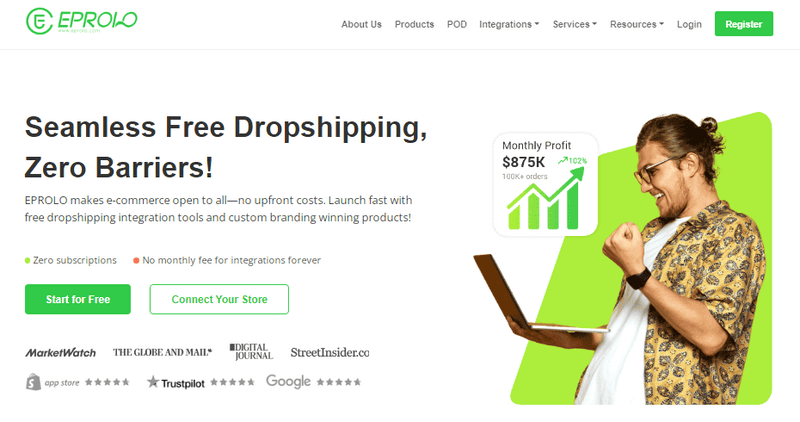
Among the many dropshipping apps available for Wix, EPROLO has gained significant traction in 2026—especially for sellers who want to build a real brand rather than just a test store.
Key features of EPROLO for Wix sellers:
- Product sourcing beyond catalogs – EPROLO has a massive product catalog and provide product sourcing services.
- Custom branding and private labeling – Add your logo to products, use custom packaging (boxes, poly mailers), include thank-you cards, and so on.
- Quality inspection – EPROLO checks products before shipping, reducing customer complaints.
- Dropshipping order fulfillment – Seamless integration with Wix automatically forwards and fulfills your dropshipping orders, ensuring customer satisfaction.
- Unified dashboard – Manage orders from different suppliers in one place without manual coordination.
Best use case: EPROLO is ideal for sellers who plan to scale into a long-term, branded ecommerce business. Its customization and quality control justify slightly higher product costs compared to basic AliExpress dropshipping.
Common Mistakes to Avoid
Most Wix dropshipping failures come from these five errors. Avoid them.
Picking Saturated Products
Selling "neck gaiters," "fidget toys," or "LED lights" puts you against thousands of identical stores. Instead, choose sub-niches like "UV protection neck gaiters for hikers" or "wooden fidget toys for ADHD adults."
Ignoring Shipping Times
Nothing kills a new store faster than 30-day shipping. If you use China-based suppliers, be upfront about delivery estimates on every product page. Better yet, use US suppliers or EU suppliers for faster delivery.
Poor Product Page Optimization
Many beginners copy the supplier's generic description. That's a mistake. Write original benefit-driven copy, add high-resolution photos, include size charts, and add customer reviews (even if you start with placeholder text).
Relying Only on Platform Tools Without Marketing
Wix won't bring you customers. You need to drive traffic through:
- Organic social media (TikTok, Instagram Reels, Pinterest)
- Paid ads (Facebook, Google Shopping, TikTok Ads)
- SEO (blog content, product page optimization)
- Email marketing (abandoned cart flows, welcome sequences)
Not Testing Before Scaling
Never start marketing a product without ordering one yourself. Test product quality, packaging, shipping speed, and customer support responsiveness. If that test fails, find a better supplier.
Conclusion
Wix dropshipping in 2026 is a viable, low-risk way to enter ecommerce—especially for beginners and small-store owners. The platform's ease of use, beautiful templates, and growing app ecosystem make it far more approachable than more complex alternatives.
However, success requires realistic profit expectations, careful supplier selection, and active marketing. Wix handles the store building. The rest—niche selection, customer trust, branding—is up to you.
Final recommendation: If you're new to ecommerce, want to test a product idea, or prioritize design and simplicity over advanced automation, start with Wix. Use a reliable app like EPROLO to handle fulfillment, and commit to learning basic marketing and SEO. Wix dropshipping won't make you rich overnight, but it can grow into a profitable, sustainable online business.
Frequently Asked Questions (FAQ)
Can I use AliExpress with Wix?
Yes, but not natively. You need a dropshipping app like EPROLO, DSers (limited Wix support), or Modalyst that connects to AliExpress suppliers. You cannot simply paste an AliExpress link directly into Wix.
What is the best Wix dropshipping app?
There's no single "best," but here are the top contenders for 2026: EPROLO (best for branding, customization, and scaling), Spocket (best for US/EU suppliers and faster shipping), and Modalyst (best for fashion, accessories, and premium products).
Is Wix better than Shopify for dropshipping?
It depends on your priorities. Wix is better for beginners who want design flexibility, lower monthly costs, and an intuitive editor. Shopify is better for sellers who need advanced automation, hundreds of dropshipping apps, and easier scalability to high volume. For most first-time dropshippers in 2026, Wix is the better starting point because it's simpler and cheaper. Upgrade to Shopify if you outgrow Wix.
How much does it cost to start Wix dropshipping?
Typical first-month costs: Wix Business plan ($27–$39/month), dropshipping app ($0–$29/month), domain ($14–$20/year), product samples ($50–$200), and marketing budget ($100–$300). Total to launch a basic store is approximately $100–$150 for the first month, not including marketing.
Is Wix dropshipping profitable in 2026?
Yes, but with caveats. Many Wix dropshippers earn $500–$5,000/month profit after 3–6 months of consistent effort. Profitable stores share three traits: a targeted niche (not generic products), a reliable supplier with fast shipping (under 10 days), and active marketing (social media, ads, or organic content). If you treat dropshipping like a real business—testing products, optimizing your store, and serving customers well—profitability in 2026 is absolutely achievable.
Read More from EPROLO Blog
- Instagram Dropshipping 101: How to Start and Succeed in 2026
- How to Start Dropshipping on Shopee in 2026
- 7 Profitable Instagram Dropshipping Niches to Sell in 2026
- 10 Best E-commerce Platforms for Dropshipping in 2026
- Top 7 Korean Dropshipping Suppliers in USA: Fast Shipping & K-Beauty Trends (2026 Guide)
Written by Iris
Iris is a digital marketing expert with 3+ years of experience in e-commerce and dropshipping. She helps online store owners grow their sales through SEO-friendly content, supplier guides, and practical marketing tips, making it easier to run and scale profitable stores.