Learning how to use Pinterest for dropshipping starts with one important shift: treat Pinterest as a visual search and planning engine, not just another social feed. This guide explains how to validate products, build a compliant merchant profile, create searchable Pins, test ads, prevent avoidable suspensions, and connect EPROLO fulfillment to a Shopify or WooCommerce store.
Key Takeaways
- Use Pinterest as a visual search channel built around planning, saving, and product discovery.
- Validate demand before importing products or funding ad tests.
- Build a real retail website with accurate policies, prices, stock, and delivery expectations.
- Connect the Pinterest Tag and catalog before scaling shopping campaigns.
- Use EPROLO as the Shopify or WooCommerce fulfillment backend, not as a direct Pinterest integration.
Table of Contents
- Why Pinterest Works for Dropshipping
- What Niches Are Best for Pinterest Dropshipping?
- How to Set Up Your Pinterest Business Profile
- How to Avoid Account Bans and Spam Flags
- How to Create Pins That Drive Clicks and Sales
- How to Run Pinterest Ads for Your Dropshipping Store
- How to Fulfill and Scale Your Pinterest Orders with EPROLO
- FAQs
Why Pinterest Works for Dropshipping
Pinterest combines visual discovery with search behavior. People enter broad ideas such as “small kitchen storage,” “gold layered necklace,” or “neutral bedroom decor,” then refine, save, compare, and revisit options. That creates a different customer journey from interruption-based feeds, where a product ad must stop someone who opened the app mainly for entertainment or updates.
A Pin can also remain discoverable after its publication date. Pinterest describes its distribution as personal rather than chronological, so useful content may surface when a person is looking for something to try, buy, or do. For dropshippers, that means one strong Pin can support both immediate clicks and longer-term organic discovery.
High purchase intent of Pinterest users
According to Pinterest audience insights, Pinterest has historically attracted a strong female user base, while the platform continues expanding steadily among male and Gen Z audiences. Commercial data also highlights significant reach across higher-income households. Furthermore, Pinterest's internal search reports show that a large majority of top searches are unbranded. This creates a prime opportunity: shoppers arrive with an open mind, searching for inspiration rather than specific brand names.
Pinterest is especially useful for planned purchases. Users build boards for rooms, outfits, weddings, gifts, routines, and seasonal events, often collecting options before they are ready to buy. A seller can therefore create Pins for early research, product comparison, and final purchase rather than relying on one hard-sell ad.
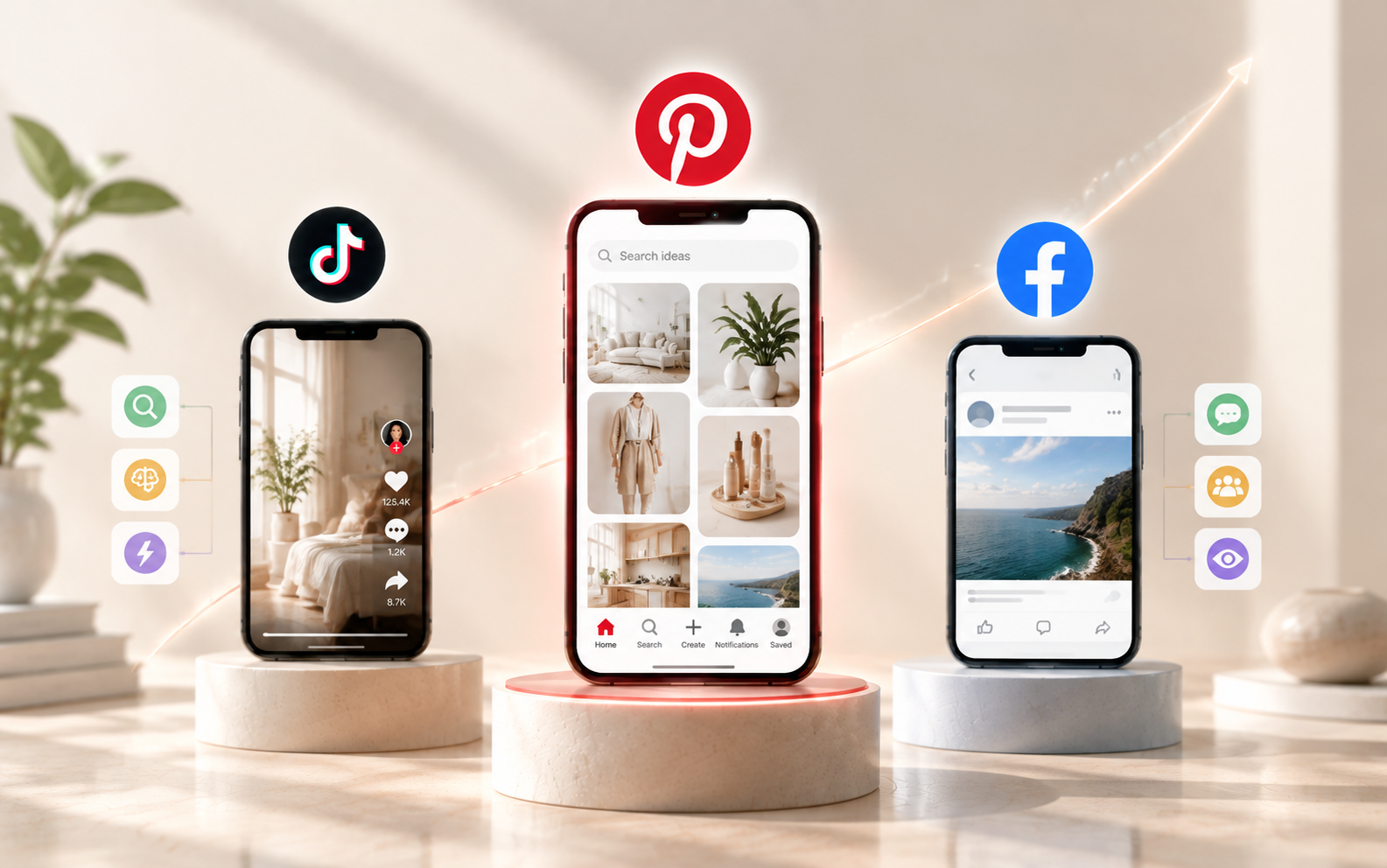
How Pin traffic compares to TikTok and Facebook
| Channel behavior | TikTok and Facebook feeds | |
|---|---|---|
| Typical discovery | Search, related ideas, boards, visual recommendations | Feed recommendations, social updates, entertainment |
| User mindset | Planning, comparing, saving, shopping | Browsing first, then reacting to an interruption |
| Content life | Useful Pins can be rediscovered over time | Performance is often concentrated near publication |
| Creative goal | Match a query or planned outcome | Stop the scroll quickly |
This does not mean Pinterest automatically converts better. Product-market fit, landing-page quality, price, shipping, creative, and attribution still determine results. The practical advantage is diversification: Pinterest for dropshipping can add search-led visual traffic alongside TikTok and Facebook campaigns.
What Niches Are Best for Pinterest Dropshipping?
The best dropshipping niches for Pinterest are easy to understand visually, connected to an aspiration or project, and suitable for repeatable content. Favor products that show a transformation, solve a visible problem, fit naturally into a styled scene, and leave enough gross margin for creative testing, shipping, refunds, and payment fees.
Top-performing product categories
- Home decor: decorative storage, wall accents, lighting accessories, textiles, planters, and small-space upgrades. Sell the completed room idea, not an isolated object.
- Kitchen organization: drawer organizers, countertop storage, pantry labels, sink accessories, and space-saving tools. Problem-and-solution images work well here.
- Women’s fashion and jewelry: coordinated outfits, seasonal accessories, layered jewelry, occasion looks, and giftable pieces. Check sizing, materials, color accuracy, and packaging before launch.
- Beauty and skincare tools: organizers, applicators, mirrors, brushes, and non-medical beauty devices. Avoid unsupported health claims, prohibited products, or promises to diagnose, treat, prevent, or cure a condition.
A Pinterest-friendly product should ideally be lightweight, durable, easy to demonstrate, and difficult to compare on price alone. Bundles, coordinated sets, and branded presentation can make a common item feel more distinctive.
How to verify product demand on Pinterest Trends
- Open Pinterest Trends. Select the country or region that matches the store’s main shipping market.
- Enter a broad category. Start with a seed phrase such as “pantry organization,” “summer jewelry,” or “vanity organizer.”
- Compare related terms. Look for variations with a clear use case, aesthetic, audience, or season.
- Inspect the curve. Separate stable demand from short seasonal spikes. Plan seasonal launches early enough for content indexing and delivery.
- Use Pinterest search autocomplete. Type the seed phrase slowly and record the suggested modifiers. These suggestions reveal how people phrase their interests.
- Review the results page. Note dominant colors, formats, use cases, and gaps. Do not copy competitors; identify a clearer angle or better visual explanation.
Validate the idea outside Pinterest too. Check product-level landed cost, competitor pricing, search demand, expected shipping time, return risk, and sample quality. A rising trend cannot rescue an unreliable product.
Sourcing high-margin products with reliable suppliers
Gross margin must absorb more than the product price. Calculate product cost, shipping, payment fees, ad spend, discounts, replacements, expected returns, and packaging. As a practical test rule, avoid launching a product when one or two paid clicks would erase the entire gross profit.
EPROLO provides a product catalog, sourcing requests, quotation support, Shopify and WooCommerce product import, quality inspection, packaging, and fulfillment. These tools may help sellers compare costs and streamline operations, but no supplier can guarantee a high margin. Order samples and confirm product-level shipping estimates before promising a delivery window.
How to Set Up Your Pinterest Business Profile
Use a Pinterest business account so you can access analytics, advertising, merchant tools, the Pinterest Tag, and catalogs where available. Keep the store identity consistent across your domain, profile, policies, product pages, and packaging.
Create or convert to a business account
- Create a new business account, convert an existing personal account, or add a linked business account.
- Upload a clear logo that remains recognizable at a small size.
- Use the store name consistently and complete the About section.
- Write a concise bio that combines the niche, customer benefit, and one or two natural search phrases.
- Create focused boards such as “Small Apartment Storage,” “Minimalist Gold Jewelry,” or “Summer Patio Ideas” rather than a single board named “Products.”
Claim your website and install the Pinterest Tag
Claiming the website connects the domain to the business profile and supports analytics and merchant features. Pinterest offers verification methods including an HTML tag, an uploaded HTML file, or a DNS TXT record. Use the method your platform supports, then verify the status in Pinterest settings.
Install the Pinterest base code across every storefront page, then configure the four events requested for an ecommerce funnel:
- PageVisit: track primary pages such as product and article pages.
- ViewCategory: fire when a shopper views a category or collection page.
- AddToCart: fire only after an item is actually added, with value and currency where applicable.
- Checkout: fire on completed purchases, with order value, currency, order ID, and product identifiers as required by the campaign or merchant program.
Test each event in Pinterest’s conversion event history before buying traffic. Avoid firing Checkout on a cart or payment page, because false conversions can corrupt campaign optimization.

Sync your product catalog with Shopify or WooCommerce
Pinterest offers official connections for Shopify and WooCommerce in supported regions. The Shopify app can claim the site, connect a product feed, and install Pinterest tracking. The WooCommerce extension can sync the catalog and support conversion tracking. Follow the current platform prompts rather than manually duplicating the same integration.
For a hosted retail data source, Pinterest accesses the feed regularly so product Pins can reflect current price, availability, title, description, and images. Keep variant IDs stable and ensure the catalog ID matches the product ID passed through conversion events. A broken identifier match prevents effective dynamic retargeting.
How to qualify for the Verified Merchant Program
Pinterest’s Verified Merchant Program (VMP) eligibility varies by region and evolves over time. While exact criteria can differ by country, approval commonly depends on key trust signals: a completed business profile, verified website ownership, a compliant product catalog, and consistent conversion tracking activity (PageVisit, AddToCart, and Checkout events).
Before applying, always review the latest guidelines directly inside your Pinterest Business Hub. Make sure your refund terms, shipping policy, contact details, and realistic delivery windows are clearly visible across your storefront.
How to Avoid Account Bans and Spam Flags
Unexplained suspensions are a major seller concern, but the safest response is not to search for a loophole. Build a retail business that Pinterest and customers can verify. Dropshipping on Pinterest should look like a transparent store with original content, accurate product data, realistic delivery promises, and responsive customer support.
Why Pinterest suspends dropshipping accounts
Pinterest does not publish a universal list of dropshipping-only suspension triggers. Its merchant and community rules do identify broader risks that may lead to reduced distribution, feed removal, warnings, or suspension:
- Broken, incomplete, unsafe, or deceptive product pages.
- Missing or unclear refund, shipping, contact, or delivery information.
- Stale catalog prices, inaccurate stock, or mismatched landing pages.
- Repetitive near-duplicate Pins, misleading keywords, deceptive redirects, or mass posting that resembles spam.
- Prohibited products, unsupported medical or financial claims, counterfeit goods, or intellectual-property violations.
- Operating as an affiliate redirector or wholesale retailer rather than the customer-facing merchant responsible for the sale.
Warm up a new account with complete branding, a claimed domain, a small set of useful boards, and a sustainable publishing cadence. Do not upload hundreds of repetitive Pins on the first day.
What to do if your account gets blocked
- Read the email and Business Hub notices to identify whether the issue concerns the account, merchant approval, catalog, ad account, or a specific Pin.
- Pause automation and avoid creating replacement accounts while the review is open.
- Audit the domain for policy pages, contact details, broken links, redirects, exaggerated claims, stock accuracy, and delivery promises.
- Remove or correct the specific content or feed rows that violate policy.
- Submit one concise appeal with the domain, account ID, what was fixed, and supporting screenshots or URLs.
- After reinstatement, restart publishing gradually and monitor feed diagnostics and user complaints.
How to Create Pins That Drive Clicks and Sales
A scalable creative system reduces burnout. For each product, build several angles from the same asset library: problem and solution, before and after, styled outcome, three benefits, comparison, seasonal use, gift guide, checklist, and customer question. Each Pin should answer one search intent rather than trying to explain everything.
Anatomy of a high-converting vertical Pin
- Vertical canvas: use a 2:3 ratio, with 1000 × 1500 pixels as Pinterest’s recommended standard.
- Immediate subject: show the product or outcome clearly without requiring a zoom.
- Readable hook: write a short benefit or query-aligned promise, not a vague slogan.
- Visible branding: include a small logo, consistent colors, or a recognizable layout.
- Specific CTA: use language such as “See sizes,” “Shop the set,” or “View storage ideas.”
- Matching landing page: maintain the same product, color, offer, and visual expectation after the click.
Create at least three meaningful variations per product. Change the image, use case, or message, not just one word. Keep source files organized by product ID so winning concepts can be adapted quickly.
Pinterest SEO: Optimizing titles, descriptions, and boards
Pinterest SEO starts with query matching. Place the primary phrase naturally in the Pin title, then use the description to clarify the product, audience, use case, material, style, and destination. Write for people first. Keyword stuffing and irrelevant trend terms create poor clicks and can look spammy.
Use focused board titles and descriptions. A board named “Entryway Organization Ideas” gives Pinterest and users more context than “My Favorites.” Save each Pin to the most relevant board first, use a clean destination URL, and optimize the product page title, image alt text, copy, price, availability, and structured product data.
Can you sell on Pinterest without a website?
You can publish organic content without owning a website, and some Pins may link to third-party destinations. However, a serious Pinterest dropshipping operation should use its own ecommerce site. Website ownership is needed to claim the domain, control tracking, create a dependable catalog, qualify for merchant features, present policies, and optimize checkout.
Pinterest product Pins are designed to send people to a page where the specific product can be purchased. Marketplace pages are often not claimable because the seller cannot edit the domain’s code or DNS. If you want to learn how to sell on Pinterest with reliable attribution and customer ownership, a Shopify or WooCommerce store is the practical foundation.
How to Run Pinterest Ads for Your Dropshipping Store
Do not launch dropshipping Pinterest ads before the product page, policies, catalog, and conversion events are accurate. Paid traffic accelerates both good and bad economics. Start with a controlled budget that is large enough to produce useful clicks but small enough to protect cash flow while you test the offer.
Choosing the right ad format for e-commerce
- Standard Image Pins: best for testing a focused product, benefit, or keyword angle with simple creative.
- Shopping Ads: use catalog products to reach lower-funnel shoppers and keep product information tied to the feed.
- Dynamic Product Catalog Ads: useful when the catalog and Pinterest Tag pass consistent product IDs for retargeting or product-level delivery.
- Carousel or Collections Ads: useful for coordinated products, room looks, jewelry sets, or complementary items.
- Idea Ads: use immersive image-and-video storytelling for tutorials, styling, transformations, and brand awareness, then pair the campaign with a clearer lower-funnel format.
Use static Image Pins when one visual communicates the offer quickly. Use catalog-based formats when product data, inventory, and conversion tracking are stable. A mixed format strategy can show the idea first and the exact product later.
Step-by-step campaign setup for testing products
- Choose one test goal. Use catalog sales or conversion-oriented setup when tracking is ready. Use consideration only when the site lacks enough conversion history.
- Start with a conservative budget. An editorial test range of $10 to $30 per day per campaign or ad group is practical for many small stores. This is not an official Pinterest minimum.
- Limit variables. Test one product or closely related product group per ad group.
- Upload three to five creatives. Use distinct concepts such as a styled result, a problem-solution layout, a benefit list, and a product close-up.
- Match targeting to intent. Start with relevant keywords and interests, or use automated targeting when the catalog and tracking provide strong signals.
- Review diagnostic metrics. Watch outbound click-through rate, landing-page views, add-to-cart rate, checkout rate, cost per acquisition, gross profit after shipping, and refund signals.
- Give the test enough time. Run for roughly two to four weeks or until the campaign has enough clicks and conversions to reveal a pattern.
- Scale in steps. Increase budget gradually only after confirming profitable unit economics, reliable delivery, and stable catalog quality.
Do not call a product a winner based on a cheap click. A valid winner produces acceptable acquisition cost after product cost, shipping, payment fees, returns, discounts, and customer support are included.
How to Fulfill and Scale Your Pinterest Orders with EPROLO
EPROLO does not provide a verified direct Pinterest integration. The practical workflow is Pinterest to Shopify or WooCommerce, followed by EPROLO as the sourcing and fulfillment backend. This separation keeps the storefront, Pinterest catalog, and customer experience under the merchant’s control.
Connecting automated order fulfillment
- Install the EPROLO Shopify app or WooCommerce plugin and connect the store.
- Import selected products, then rewrite titles and descriptions for the Pinterest audience.
- Confirm variants, inventory status, product IDs, prices, and shipping estimates before adding products to the Pinterest catalog.
- When a customer orders, let the connected store synchronize the order to EPROLO.
- Review and pay for the fulfillment order in EPROLO. EPROLO then handles sourcing or supply, quality inspection, packing, and shipping.
- After dispatch, use the synchronized tracking update to keep the storefront and customer informed.
EPROLO advertises route-specific express options, including published average windows for selected US, UK, Canada, and Australia services. Delivery varies by product, route, destination, season, address quality, and exceptions. Check the current product page and shipping policy before publishing a delivery promise.
Custom packaging to protect merchant score and build trust
Branded presentation cannot fix a weak product, but it can make the post-click experience more consistent. EPROLO documents options including custom gift cards or thank-you-style inserts, custom scotch tape, packing bags, labels, and hangtags. It also references custom packaging boxes on some pages, although availability and fees should be confirmed with support or an account manager before making a promise.
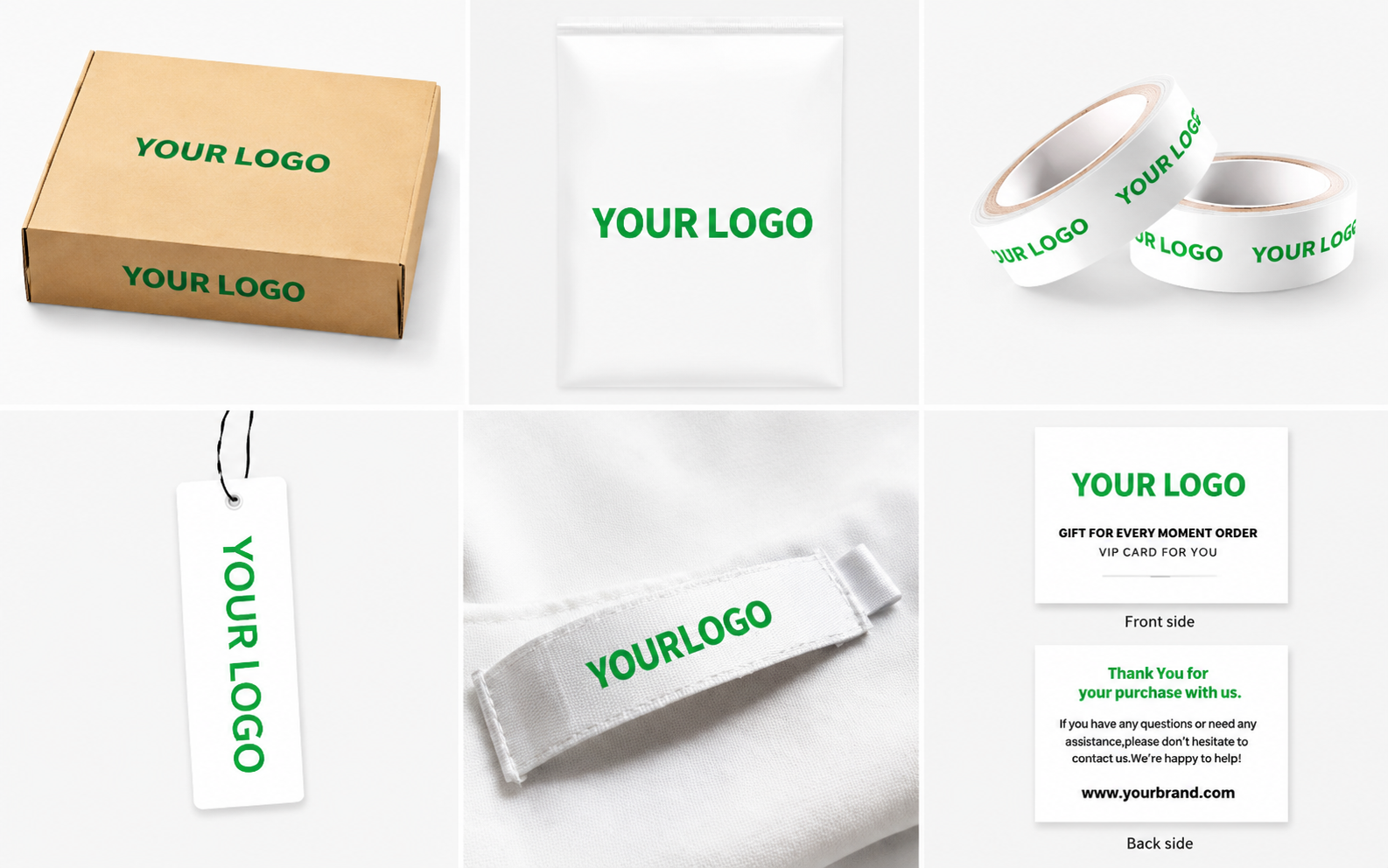
EPROLO’s most clearly documented branding program focuses on clothing. Options for other categories may have different fees, minimums, or eligibility. Order a sample of the final product and packaging, inspect barcode placement and protection, and photograph the real unboxing experience for Pinterest creative. Accurate presentation and safer packaging may support trust and reduce avoidable disputes, but they do not guarantee fewer refunds.
Why Reliable Fulfillment Infrastructure Matters
- Product data consistency: Seamless synchronization helps keep titles, variants, SKUs, and inventory aligned across your store and Pinterest catalog.
- Branded customer experience: Custom packaging, tape, and thank-you cards create a polished unboxing experience that builds buyer trust.
- Shipping transparency: Accurate tracking updates and realistic delivery estimates help protect merchant status and minimize customer disputes.
- Operational efficiency: Automated order fulfillment frees up your time to focus on creative testing, SEO, and paid campaigns.
FAQs
How much does it cost to start dropshipping on Pinterest?
A Pinterest business account is free. Your actual startup cost depends on the domain, ecommerce platform, samples, creative tools, product cost, shipping, and advertising. A lean seller can begin with organic Pins and samples, then use an editorial ad test budget of about $10 to $30 per day. That range is a planning recommendation, not an official Pinterest minimum.
Is Pinterest good for dropshipping beginners?
Yes. Pinterest is one of the best platforms for beginners because organic Pins have a long shelf life. Unlike TikTok or Meta where ad spend or short video virality is mandatory, Pinterest rewards consistent SEO optimization and aesthetic product curation without requiring large upfront budgets.
How long does it take for organic Pins to get sales?
There is no fixed timeline. Some Pins gain clicks quickly, while others are discovered over weeks or months. Product demand, keyword targeting, creative quality, board relevance, landing-page conversion, price, and shipping all matter. Publish consistently, review outbound clicks and conversions, and refresh weak creative without deleting every older Pin.
Is dropshipping allowed on Pinterest?
Pinterest’s published policies do not provide a blanket promise that every dropshipping model is acceptable. A dropshipper should operate as the responsible retail merchant, not an affiliate redirector or wholesale listing page. Use accurate prices and stock, clear shipping and refund policies, compliant products, honest claims, reliable fulfillment, and responsive customer service.
Related Reading
- The Comprehensive Guide to Dropshipping Fulfillment in 2026
- Best Ecommerce Fulfillment Solutions for 2026
- Best Warehousing and Fulfillment Services in 2026
- How to Build a Branded Dropshipping Store Without Holding Inventory in 2026
- Top Dropshipping Products in 2026: The Ultimate Data-Backed Guide to E-commerce Success
Written by
Inverse
Inverse is a skilled Google SEO operations expert , with deep expertise in technical site audits, content clustering, and keyword strategy. Excelling at search engine visibility and organic traffic optimization, Inverse consistently delivers actionable insights across key search channels. This strategic approach helps e-commerce brands build sustainable organic traffic and expand their digital footprint effectively.
Editorial note:
Pinterest features, eligibility rules, regional availability, advertising interfaces, and EPROLO services can change. Verify current platform requirements, product-level shipping estimates, packaging eligibility, and merchant policies before publishing offers or scaling campaigns.