Amazon dropshipping automation can synchronize inventory, route orders, update tracking, and support repricing, but it cannot transfer seller responsibility to software or a supplier. Amazon dropshipping automation is allowed when sellers remain the seller of record, maintain customer service responsibility, and work with compliant suppliers. The purpose of automation is to reduce repetitive operational tasks, not remove seller accountability. In 2026, the safest approach is to automate proven workflows around Amazon's seller-of-record rules, verified fulfillment partners, accurate delivery promises, and human exception handling. This guide explains what to automate first and where EPROLO may fit.
Key Takeaways
- Amazon permits dropshipping only when the Amazon merchant remains the seller of record and controls the customer experience.
- Useful automation covers inventory, prices, orders, tracking, alerts, and reporting, while people handle exceptions and compliance.
- The supplier must support neutral or seller-identified packing materials, valid tracking, dependable dispatch, and workable returns.
- Automated repricing needs minimum-price guardrails based on landed cost, Amazon fees, returns, and advertising.
- EPROLO, AutoDS, DSers, Inventory Source, Shopify Collective, and DropCommerce have different channel and supplier models; not every tool is a direct Amazon automation fit.
- The best Amazon automation solution depends on your supplier model, marketplace requirements, fulfillment control, and risk tolerance rather than the number of automated features.
Inside This Article
What Is Amazon Dropshipping Automation and How Does It Work?
Amazon dropshipping automation is the controlled use of software—typically integrated via official Amazon Selling Partner API (SP-API) connections—to synchronize product listings, inventory levels, order routing, and tracking data between Amazon and a third-party supplier. SP-API is Amazon's official interface that allows approved applications to securely exchange seller, order, inventory, and reporting data. Software streamlines these repetitive transfers, but the merchant remains legally and operationally responsible for the store. The seller still owns the listing, customer relationship, policy obligations, returns, and final decisions.
Most Amazon dropshipping workflows operate under an FBM model (Fulfilled by Merchant) , where sellers remain responsible for fulfillment performance while approved suppliers handle product preparation and shipping execution. Automation removes repetitive transfers; it does not create a hands-off Amazon business.
A normal automated dropshipping fulfillment loop has six stages:
- Supplier data enters the system. Product identifiers, stock, cost, shipping availability, and tracking capabilities are mapped to Amazon SKUs.
- Listings are published or updated. Titles, attributes, prices, quantities, and handling settings are managed within Amazon's catalog rules.
- An Amazon order is imported. The integration receives the order and validates payment status, address, inventory, margin, and routing conditions.
- The order reaches the approved supplier. It may be routed automatically, held for review, or submitted after the merchant pays the supplier.
- The supplier fulfills under the seller's requirements. Packaging, documents, dispatch, carrier selection, and returns must match the agreed Amazon-compliant process.
- Tracking and status return to Amazon. The merchant monitors exceptions rather than assuming a successful data sync equals a successful delivery.
The highest-value automation is usually not the flashiest. A stock alert that pauses an unavailable SKU can prevent cancellations. A margin floor can block loss-making repricing. A shipment exception queue can surface a missing carrier scan before it damages the customer experience.
Is Amazon Dropshipping Automation Allowed? Compliance Rules Sellers Must Know
Yes, Amazon allows dropshipping and the software used to support it, provided the underlying fulfillment arrangement follows Amazon policy. Amazon's dropshipping guidance says the merchant must be the seller of record, identify itself as the seller on customer-facing information, remove references to third-party sellers, suppliers, retailers, or fulfillment providers from packaging, packing slips, invoices, and other shipment materials, and remain responsible for returns and customer service.
| Compliance requirement | What the automated workflow must do | What creates risk |
|---|---|---|
| Seller of record | Keep your business identified as the seller on the offer and customer-facing shipment materials, and keep returns under your seller-controlled process. | A supplier or another retailer appearing as the seller on documents or packaging. |
| Customer-facing materials | Use neutral or seller-approved packing slips, invoices, external packaging, and return information. | Retail receipts, supplier promotions, contact details, or marketplace branding in the parcel. |
| Product authorization | Store invoices, authorization records, safety documents, and category approvals where needed. | Listing branded, restricted, unsafe, or counterfeit-sensitive products without evidence. |
| Shipping promises | Base handling and transit settings on supplier and carrier evidence. | Using an optimistic global promise that the supplier cannot consistently meet. |
| Returns and support | Maintain a seller-controlled process for messages, cancellations, refunds, replacements, and returns. | Directing Amazon customers to solve problems with the supplier. |
| Data and permissions | Use authorized integrations, least-privilege access, and documented user roles. | Sharing master credentials or allowing an unreviewed third party to control the account. |
Important distinction: purchasing from another retailer and having that retailer ship directly to an Amazon customer is high-risk and prohibited when the shipment, packing slips, invoices, external packaging, or other customer-facing materials identify anyone other than you as the seller of record. Automation does not make a noncompliant retailer-fulfilled order compliant.
Before enabling automatic order routing, get a written supplier agreement that covers seller identity, packing documents, dispatch cutoffs, stock feeds, carrier and tracking standards, returns, damaged goods, cancellations, address changes, and escalation contacts. Then place test orders to real destinations and inspect the packaging, documents, tracking, and delivery timing.
How to Build an Automated Dropshipping Fulfillment Workflow for Amazon
Build the workflow from the exception backward. A successful order is easy to automate. Sustainable operations depend on what happens when inventory disappears, cost rises, payment fails, an address is invalid, the supplier misses a cutoff, tracking is rejected, or the customer requests a cancellation. In real Amazon operations, automation problems usually appear before scaling begins. Sellers often connect supplier catalogs too quickly, creating inventory mismatches, pricing conflicts, and fulfillment exceptions that can affect account performance.
1. Create a supplier acceptance gate
Do not connect a full catalog on day one. Approve suppliers and SKUs only after checking product authorization, inventory reliability, landed cost, return rules, packaging, quality, dispatch performance, destination coverage, and valid tracking. For B2B sellers working with multiple suppliers, maintaining supplier scorecards for inventory accuracy, fulfillment speed, defect rates, and communication response time helps prevent operational issues before they reach customers. Keep evidence with the supplier record.
2. Map one source SKU to one controlled Amazon offer
Match variants, identifiers, dimensions, materials, images, category attributes, and bundle quantities carefully. Supplier descriptions should be treated as raw data, not publication-ready copy. Incorrect mappings can create wrong-item shipments and listing-policy problems at scale.
3. Set inventory buffers and stockout rules
Do not publish every unit shown by a supplier. Hold a buffer for feed delay, shared inventory, and demand spikes. Configure the system to reduce quantity or pause the SKU when stock falls below your threshold. Maintain a preapproved backup only when the substitute is genuinely equivalent and documented.
4. Add margin and order-risk checks
Before routing an order, verify the latest supplier cost, destination shipping, Amazon fees, expected advertising cost, return allowance, and tax or duty exposure. Hold orders that fall below the contribution-margin floor, contain an unsupported address, exceed quantity limits, or require manual product approval.
5. Separate normal orders from exception orders
Normal orders can move through an automated queue. Exceptions need a named owner and a deadline. Useful queues include out of stock, cost mismatch, address review, high-value order, supplier rejection, delayed dispatch, tracking not accepted, delivery exception, cancellation, and return.
6. Sync tracking only after validation
Tracking must show a real carrier scan to meet Amazon's Valid Tracking Rate (VTR) requirement of 95%. Uploading labels before physical dispatch leads to carrier mismatches and account warnings. Monitor the first carrier scan, movement events, delivery, and stalled shipments. For FBM orders, Amazon shipping settings, return settings, Buy Shipping, APIs, or supported integrators can assist when the approved workflow can confirm shipment and upload carrier-valid tracking accurately.
7. Reconcile every day
Compare Amazon orders with supplier orders, payments, cancellations, refunds, tracking, delivery status, fees, and gross margin. The goal is to catch silent sync failures before customers complain or account-health alerts appear.
Best Automation Tools for Amazon Dropshipping Operations
The best tool is the one that supports your exact Amazon marketplace, supplier, order method, and compliance controls. The six options below are not interchangeable. Their suitability depends on factors such as marketplace authorization, supplier relationships, fulfillment methods, and the level of operational control required. Some connect directly to Amazon, while others are designed for Shopify-led operations or require supplier-specific marketplace permission.
| Tool | Direct Amazon operations fit | Primary strength | Critical limitation to verify |
|---|---|---|---|
| Shopify Collective | Indirect | Connects eligible Shopify retailers and suppliers for inventory-free product collaboration. | It is a Shopify-to-Shopify system, not a native Amazon seller automation platform. |
| EPROLO | Yes, according to EPROLO's Amazon guidance | Supplier, sourcing, Amazon order synchronization, fulfillment, and tracking support. | Confirm current marketplace authorization, SKU mapping, packaging, shipping lines, and exact automation mode. |
| AutoDS | Yes, with documented limitations | Centralized Amazon listings, stock and price updates, product editing, and limited order-management workflows. | Requires an Amazon Professional Selling Plan and same-region authorization. AutoDS says automatic tracking updates are not supported for Amazon stores, buyer details may require its extension, and selling-eligibility filtering is not supported. |
| DSers | Listed by DSers; verify account-level availability | DSers lists Amazon support for order processing, supplier coordination, inventory management, and shipping tracking, while its core strength remains AliExpress-oriented workflows. | Confirm the Amazon connection, supported marketplace, order route, tracking workflow, and supplier packaging process before treating it as an Amazon automation stack. |
| Inventory Source | Yes | Supplier catalog, inventory, price, order-routing, and tracking synchronization. | Automation depth depends on the connected supplier and selected plan. |
| DropCommerce | Conditional and indirect | Dropshipping platform currently available on Shopify, Wix, BigCommerce, and Shoplazza. | Amazon or eBay resale depends on individual supplier permission; DropCommerce says many suppliers have not authorized third-party marketplaces. |
Shopify Collective
Shopify Collective lets eligible Shopify stores connect with other Shopify stores acting as suppliers and sell products imported through Shopify Collective. Retailers can import products without purchasing inventory in advance, while suppliers share products and price lists. This can be useful for building a controlled Shopify catalog or validating supplier relationships.
It should not be presented as direct Amazon dropshipping automation. If Amazon is the sales channel, you still need an authorized Amazon listing and fulfillment workflow, accurate cross-channel inventory, and explicit permission to sell the products on Amazon. Adding a separate connector increases mapping and overselling risk.
EPROLO
For sellers managing multiple suppliers, maintaining consistent inventory accuracy and packaging standards remains a major operational challenge. EPROLO markets itself as a supplier and fulfillment layer with Amazon integration. Its current Amazon guides describe authorizing access to seller data, sourcing products, synchronizing orders, choosing manual or automated fulfillment, and returning tracking after shipment. EPROLO also markets FBA-related and FBM-related services; verify the exact workflow, packaging, labeling, shipping, storage, and responsibility model before relying on them.
This makes EPROLO a potential fit for sellers who need sourcing and fulfillment support in one workflow. It supports blind dropshipping and custom packaging to keep your store fully compliant with Amazon rules, removing third-party supplier branding from shipping materials to protect your Seller of Record status. Before scaling, review the exact packaging options, stock update behavior, product documentation, shipping routes, dispatch cutoffs, return process, and order approval or payment flow.
AutoDS
AutoDS supports Amazon as a selling channel in multiple regions. Its help center describes centralized listings, pricing and inventory updates, product editing or deletion, and limited order-management workflows. It also states that sellers need an Amazon Professional Selling Plan and authorization for the same Amazon region connected in AutoDS.
AutoDS can be a useful operations dashboard, but support is not identical across marketplaces or suppliers. Its Amazon guidance says automatic tracking updates are not supported for Amazon stores, buyer information can require its browser extension, and it cannot filter products by Amazon selling eligibility. Keep manual controls for restricted products, high-value orders, cost changes, tracking entry, and seller-identity risks.
DSers
DSers is best known for AliExpress automation, including bulk ordering, supplier mapping, stock updates, shipping selection, tracking synchronization, and order-status updates. Its current integrations page also lists Amazon support for order processing, supplier coordination, inventory management, and shipment tracking, but that page does not prove every workflow, region, supplier route, or tracking process is available to every account.
Because DSers documentation is heavily organized around Shopify, WooCommerce, Wix, and AliExpress workflows, confirm the exact Amazon connection available to your account and region before calling it a complete Amazon automation stack. AliExpress sourcing also requires special care around packaging identity, delivery reliability, product authorization, and return handling.
Inventory Source
Inventory Source is built around supplier-feed automation. Its Amazon product explains importing product data, synchronizing quantities and prices, routing orders to integrated suppliers, and sending tracking back to the channel. This model suits sellers working with established wholesale suppliers that can meet Amazon requirements.
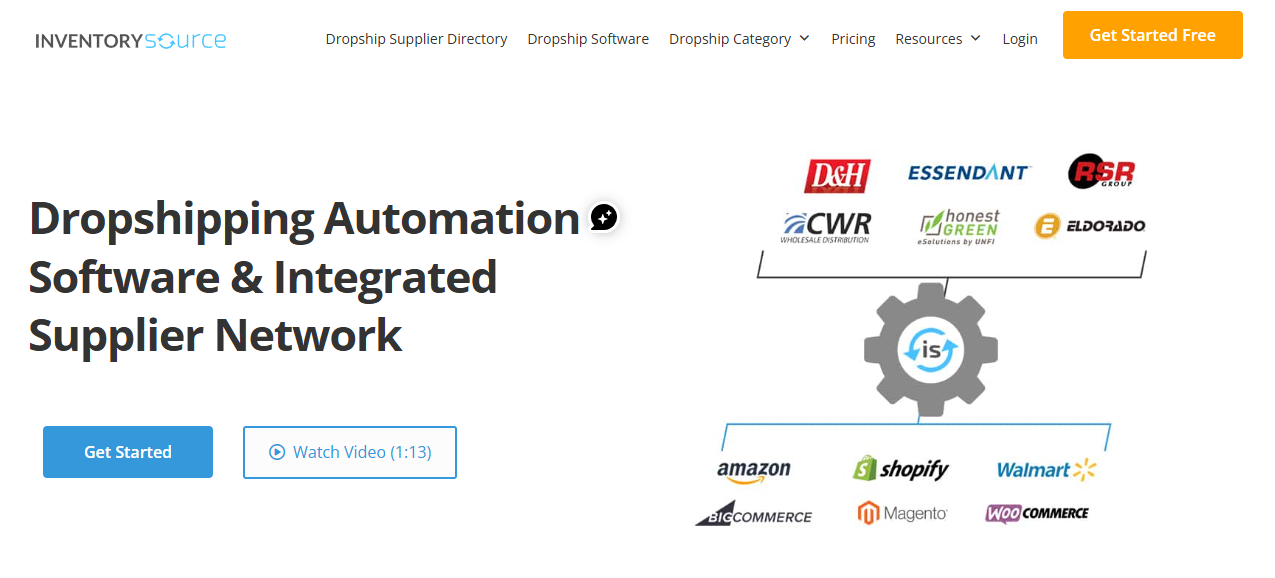
The strongest setup is a vetted supplier with a direct feed and written blind-dropshipping procedures. Ask how often stock and prices update, what happens during feed outages, whether tracking is carrier-valid, and which order or tracking functions require the Full Automation plan.
DropCommerce
DropCommerce says it is currently available on Shopify, Wix, BigCommerce, and Shoplazza. Its help center says Amazon and eBay resale depends on individual supplier permission, and many suppliers have not authorized those marketplaces. Approved suppliers display a marketplace permission badge.
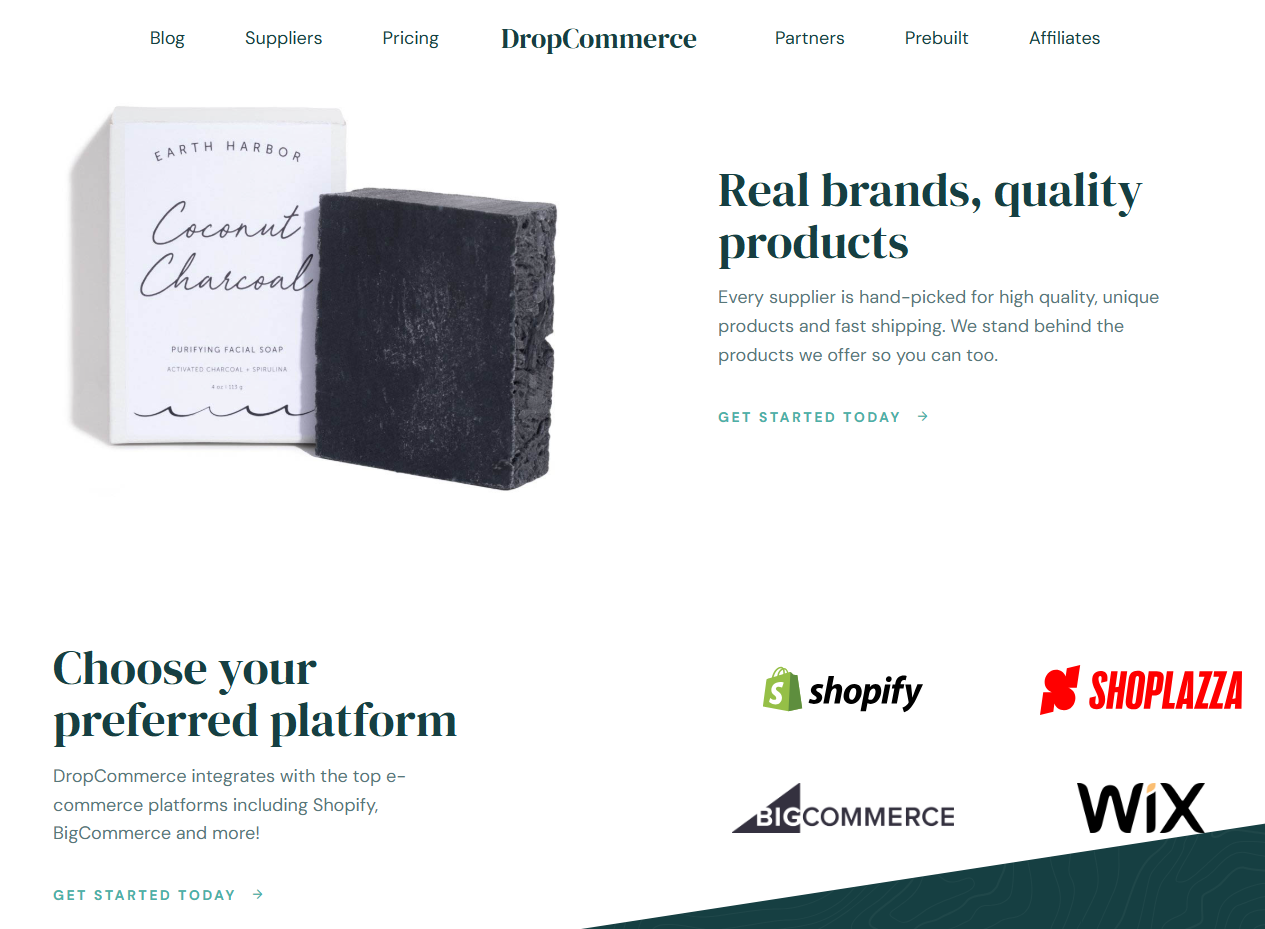
Use DropCommerce for Amazon only when the supplier explicitly permits it and you have a separate compliant Amazon operations path. Do not export a supplier's products to Amazon merely because they are available in a connected web store. Channel authorization, packaging, returns, inventory sync, and tracking must all be confirmed.
Automated Pricing vs Manual Repricing: Which Protects Your Amazon Margins?
Automated repricing protects margins only when its rules begin with accurate cost and a hard minimum price. Manual repricing provides more context for new or unusual products, but it becomes slow and inconsistent across a large catalog. Most growing sellers need a hybrid system.
Amazon's Automate Pricing tool can adjust prices in response to competitive or sales-based rules. It allows sellers to define a minimum price and an optional maximum, and it is available to Professional selling accounts with active offers on the products assigned to pricing rules. Competitive pricing may improve Featured Offer potential, but it does not guarantee placement.
| Method | Best use | Main advantage | Main risk |
|---|---|---|---|
| Manual repricing | New products, low-volume catalogs, unusual costs, and policy-sensitive listings. | Human context and deliberate decisions. | Slow reaction and inconsistent review as SKU count grows. |
| Automated repricing | Stable products with verified costs, demand, and competitive references. | Continuous rule-based response without constant manual editing. | Margin erosion if costs, fees, or floor prices are wrong. |
| Hybrid repricing | Scaled catalogs with a mix of stable and high-risk SKUs. | Automation for normal movement, human approval for exceptions. | Requires disciplined segmentation and review. |
Calculate the price floor from the latest landed economics. Landed cost represents the complete cost of getting a product ready for delivery, including supplier cost, shipping, duties, taxes, and other operational expenses:
- Supplier product cost
- Destination-specific shipping and handling
- Amazon selling and category fees
- Software and payment expenses attributable to the order
- Expected advertising cost
- Refund, replacement, and return allowance
- Tax, duty, currency, and contingency allowance where relevant
- Required contribution profit
Recalculate when supplier cost, shipping, Amazon fees, or return behavior changes. Pause repricing on a SKU when the supplier feed is stale, a product is under policy review, the margin floor changes sharply, or the system detects an abnormal competitive price.
How to Manage Amazon Automated Stores Without Losing Account Health
Manage account health as an operating queue, not a weekly scorecard. Amazon Seller Central provides alerts and metrics related to policy compliance, customer service, and shipping performance. Automated stores can generate more exceptions in less time, so monitoring speed must grow with listing and order volume.
Use three review rhythms
- As close to real time as your systems allow: failed imports, out-of-stock orders, supplier rejection, invalid address, cost below margin floor, cancellation request, missing tracking, and security alerts.
- Daily: unshipped orders, first carrier scans, late-risk orders, tracking acceptance, customer messages, refunds, and negative feedback.
- Daily to weekly: Monitor your Account Health Rating alongside strict Amazon's Account Health metrics and Order Defect Rate targets, ensuring your Order Defect Rate stays strictly below 1%, Late Shipment Rate under 4%, and Pre-fulfillment Cancel Rate under 2.5%. Frequently review policy notices, valid tracking rates, supplier scorecards, and true contribution margins.
Assign ownership instead of relying on notifications
Every exception needs an owner, a deadline, and a resolution note. From Amazon's perspective, supplier issues still belong to your business. A dashboard that detects a problem but no one clears it is not an operational control.
Limit user and application access
Grant team members and software only the permissions needed for their work. Review authorized applications and users regularly, remove inactive access, use strong authentication, and document configuration changes. Never let a vendor operate through a shared primary login when supported user permissions or authorized connections are available.
Keep a manual fallback
Export active SKU mappings, supplier contacts, pending orders, and shipment data on a regular schedule. Know how to pause listings, submit an order manually, replace tracking, contact a customer, and disable an integration. Automation should reduce recovery time, not make the business dependent on one dashboard.
Amazon Dropshipping Automation Mistakes That Cause Seller Problems
- Automating before validating the supplier. A tool can route orders faster than an unreliable supplier can fulfill them.
- Using another retailer as the fulfillment identity. Retail receipts, branding, or return instructions can conflict with seller-of-record requirements.
- Importing a large catalog without authorization checks. Brand, category, safety, and marketplace restrictions do not disappear during bulk upload.
- Publishing supplier inventory without a buffer. Shared stock and feed delay can create overselling and cancellations.
- Repricing from selling price alone. Supplier increases, shipping, advertising, returns, and Amazon fees can turn an apparent sale into a loss.
- Promising delivery from a marketing estimate. Handling settings should come from tested supplier and carrier performance by destination.
- Uploading tracking without checking it. A number may be invalid, mismatched, unsupported, duplicated, or created before the parcel is handed over.
- Allowing substitutions automatically. A different model, material, color, bundle count, or branded item can create a wrong-item shipment and listing mismatch.
- Ignoring cancellation and address-change windows. Fast routing is harmful when it removes the chance to stop or correct an order.
- Assuming the supplier handles customer service. The Amazon seller must control messages, refunds, returns, and resolutions.
- Giving software excessive account access. Poor permission management increases operational and security exposure.
- Scaling without a supplier scorecard. Revenue growth can hide worsening dispatch, tracking, defect, return, and margin performance.
The solution is not to avoid automation. It is to automate only the workflows you can monitor, pause, and fix quickly. Start with one supplier and a small group of low-risk SKUs. Increase volume only after clean test orders and stable real-order performance.
Build a Scalable Amazon Business With Smarter Automation Systems
A scalable Amazon operation is a set of controls, not a collection of apps. Use this rollout sequence:
- Document the manual workflow. Map listing, inventory, pricing, order approval, supplier payment, shipping, returns, and reconciliation.
- Approve one compliant supplier. Verify identity, authorization, packaging, dispatch, tracking, returns, and escalation procedures.
- Launch a limited catalog. Choose products with stable supply, simple specifications, predictable shipping, and adequate margin.
- Automate visibility first. Add stock, price, order, and tracking alerts before allowing automatic actions.
- Add guarded actions. Enable quantity updates, order routing, tracking sync, and repricing within defined thresholds.
- Measure exceptions. Track stockouts, late dispatch, invalid tracking, cancellations, returns, defects, and margin leakage by supplier and SKU.
- Create redundancy. Maintain backups for essential SKUs, user access, data exports, and manual fulfillment procedures.
- Scale only what has proven stable. Grow the supplier, SKU, destination, and shipping combinations that consistently meet your service and profit targets.
EPROLO markets itself as a connected supplier and fulfillment layer for Amazon sellers, including sourcing, order synchronization, fulfillment, and tracking support in its Amazon materials. Treat the connection as infrastructure, then keep your own compliance checklist, margin logic, exception queue, and account-health review.
The right objective is not a fully automated store. It is a store where routine orders flow quickly, unusual orders stop safely, people see the right alerts, and every customer-facing outcome remains under the seller's control.
Frequently Asked Questions (FAQs)
What is the best automation software for Amazon dropshipping?
There is no universal winner. EPROLO may fit sellers who want an integrated supplier and fulfillment layer; AutoDS emphasizes listings, stock, price, and order automation; Inventory Source suits supplier-feed operations; and DSers centers heavily on AliExpress workflows. Choose only after verifying your Amazon region, supplier, packaging, order method, tracking, returns, permissions, and current plan features.
How do automated dropshipping systems for Amazon handle inventory changes?
An automated dropshipping Amazon workflow reads or receives supplier stock data, maps it to an Amazon SKU, and updates the available quantity or pauses the listing according to configured rules. Because feeds can lag or fail, sellers should use inventory buffers, low-stock thresholds, stale-feed alerts, reconciliation, and a manual pause process.
What happens when an automated supplier runs out of inventory?
A safe system reduces the Amazon quantity to zero, stops new routing, and moves affected orders into an exception queue. The seller then confirms replenishment, uses a preapproved equivalent supplier, or communicates and cancels where necessary. Never substitute an unverified product automatically just to preserve the order.
How should automated Amazon dropshipping systems handle fast shipping requirements?
They should map each SKU and destination to tested handling times, supplier cutoffs, carrier services, inventory locations, and delivery settings. Orders that cannot meet the promise should be blocked or reviewed. Tracking should be validated after dispatch, and sellers should monitor first scans and delivery exceptions rather than relying only on the estimated arrival date.
Related Reading
Written by
Inverse is a skilled Google SEO operations expert, with deep expertise in technical site audits, content clustering, and keyword strategy. Excelling at search engine visibility and organic traffic optimization, Inverse consistently delivers actionable insights across key search channels. This strategic approach helps e-commerce brands build sustainable organic traffic and expand their digital footprint effectively.
Editorial note: Amazon dropshipping policy guidance, FBM, Automate Pricing, and the named software capabilities were reviewed against official Amazon public pages and vendor help or marketing pages in July 2026 where available. Vendor feature descriptions are treated as product claims, not guarantees. Amazon rules, integrations, marketplace support, shipping performance, and software plans can change, so verify the current terms before connecting an account or automating live orders.